I’ll never forget the morning I woke up to find I’d accidentally posted a client’s Instagram content to the wrong account—at 3 AM. That embarrassing moment taught me a valuable lesson: choosing the right social media management tool isn’t just about convenience; it’s about protecting your reputation and sanity. If you’re drowning in the chaos of managing multiple social accounts, constantly switching between platforms, and losing track of what’s been posted where, you’re not alone. The Social Media Management Tools Battle: Buffer vs Later vs Hootsuite vs MeetEdgar has been raging for years, and in 2025, the stakes have never been higher.
With businesses managing an average of 5-7 social media accounts simultaneously, the right scheduling tool can mean the difference between strategic growth and complete burnout. Whether you’re a solo entrepreneur juggling Instagram, Twitter, and LinkedIn, or a marketing team coordinating campaigns across a dozen platforms, understanding the strengths and weaknesses of each platform is crucial.
Key Takeaways
- Buffer excels at simplicity and affordability, offering clean interfaces and transparent pricing perfect for small businesses prioritizing straightforward scheduling over complex features
- Later dominates visual content planning with drag-and-drop calendars and data-driven “Best Time to Post” recommendations, making it ideal for Instagram-focused brands
- Hootsuite provides enterprise-level analytics and bulk scheduling capabilities, supporting up to 10 accounts on its Professional plan at $19/month with comprehensive demographic insights
- MeetEdgar revolutionizes content recycling through category-based libraries and automatic queue refilling, eliminating manual rescheduling for evergreen content
- Team collaboration features vary significantly—Buffer offers post approvals and shared calendars, while MeetEdgar lacks unified inbox functionality for real-time engagement
Understanding the Social Media Management Landscape in 2025
The social media management tool market has exploded over the past few years. What started as simple scheduling platforms have evolved into comprehensive marketing ecosystems. I remember when posting to social media meant logging into each platform individually, copying and pasting captions, and setting phone reminders to hit “publish” at the right time. Those days are thankfully behind us.
Today’s tools do far more than just schedule posts. They analyze your audience behavior, suggest optimal posting times, provide detailed analytics, facilitate team collaboration, and even use AI to optimize your content. But with so many options available, how do you choose the right one?
The Social Media Management Tools Battle: Buffer vs Later vs Hootsuite vs MeetEdgar represents four distinct philosophies about social media management. Each platform has carved out its own niche, serving different types of users with varying needs and budgets.
What Makes a Great Social Media Management Tool?
Before diving into the specifics, let’s establish what features actually matter:
- Scheduling capabilities: How easy is it to plan and queue content?
- Platform support: Which social networks does it connect with?
- Analytics depth: What insights can you extract from your data?
- Team collaboration: Can multiple people work together efficiently?
- Pricing transparency: Are costs reasonable and predictable?
- User interface: Is the platform intuitive or frustrating?
- Automation features: Does it save you time or create more work?
Buffer: The Minimalist’s Dream 🎯
When I first started using Buffer back in 2018, I was immediately struck by how clean and intuitive the interface felt. There was no overwhelming dashboard, no confusing navigation—just a straightforward way to schedule posts across multiple platforms.
Buffer’s Core Strengths
Simplicity and Ease of Use
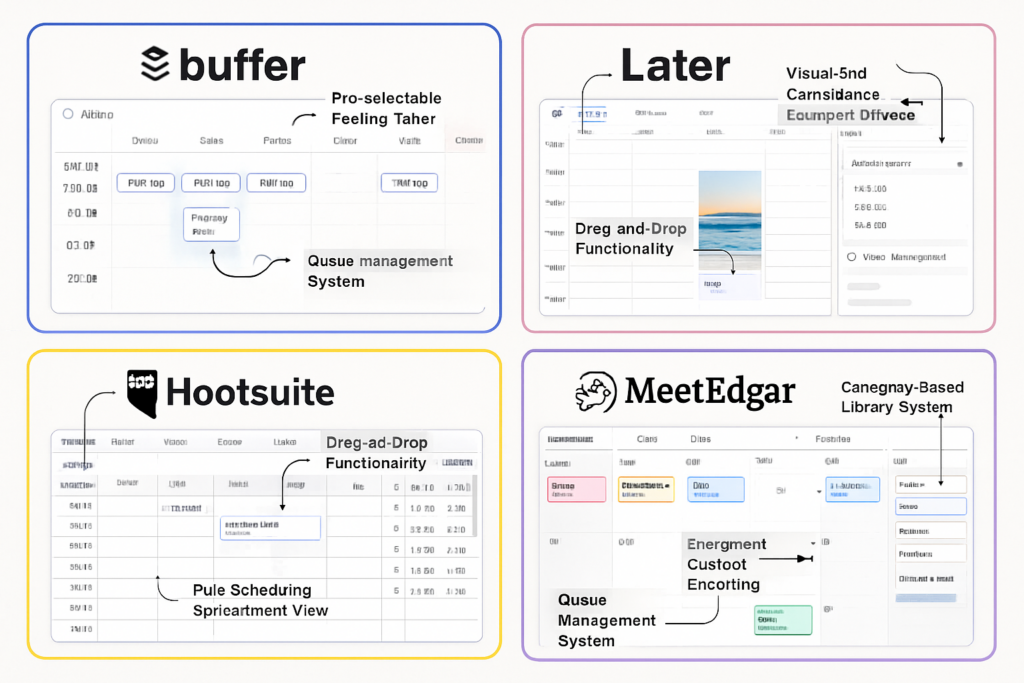
Buffer has built its reputation on being the most accessible social media management tool on the market. The learning curve is practically non-existent. Within minutes of signing up, you can connect your social accounts and start scheduling content. The platform supports up to 100 scheduled posts per social account on paid plans, which is more than sufficient for most small to medium-sized businesses[1][4].
The interface features pre-selectable posting times, meaning you can set your preferred time slots once and simply add content to those slots. No need to manually select times for every single post. This feature alone has saved me countless hours over the years.
Transparent Pricing Structure
One of Buffer’s most appreciated qualities is its straightforward pricing. There are no hidden fees, no surprise charges, and no complex tier structures that require a PhD to understand. Users consistently praise Buffer for its affordability and reliability when it comes to straightforward content scheduling[1].
Buffer’s Limitations
Basic Analytics
While Buffer provides platform-specific insights with engagement and reach metrics, it doesn’t offer the depth of analytics that power users might crave[1]. If you need detailed demographic breakdowns, sentiment analysis, or competitive benchmarking, you’ll find Buffer’s reporting somewhat limited.
Limited Advanced Features
Buffer focuses on doing a few things exceptionally well rather than trying to be everything to everyone. This means you won’t find advanced features like content recycling, AI-powered optimization, or sophisticated automation workflows. For many users, this is actually a benefit—less complexity means fewer things to go wrong.
Buffer’s Team Collaboration Features
Despite its simplicity, Buffer doesn’t skimp on team functionality. The platform includes:
- Post approvals: Team members can submit content for review before publishing
- Team roles: Assign different permission levels to collaborators
- Shared calendars: Everyone sees the same content schedule
- Exportable reporting: Generate performance reports for clients without giving them platform access[1]
These features make Buffer surprisingly capable for small marketing teams, even if it lacks some of the enterprise-level collaboration tools found in Hootsuite.
Later: The Visual Content Champion 📸
If Buffer is the minimalist’s dream, Later is the visual marketer’s paradise. I started experimenting with Later when Instagram became central to one of my client’s strategies, and the difference in planning visual content was immediately apparent.
Later’s Visual Planning Advantage
Drag-and-Drop Calendar Interface
Later’s standout feature is its visual content calendar. Instead of looking at a list of scheduled posts, you see a grid that shows exactly how your feed will look. This is particularly valuable for Instagram, where aesthetic consistency can make or break your brand presence.
I remember planning a product launch campaign where maintaining a specific color palette across posts was crucial. With Later’s visual grid, I could see at a glance if a post disrupted the visual flow and rearrange content accordingly. This level of visual planning simply isn’t possible with text-based scheduling tools.
Data-Driven “Best Time to Post” Suggestions
Rather than relying on generic industry recommendations, Later analyzes your specific audience behavior patterns to suggest optimal posting times[3]. This data-driven approach outperforms static scheduling because it adapts to your unique follower base.
The platform tracks when your audience is most active and engaged, then recommends time slots that maximize visibility and interaction. Over several months of using this feature, I saw engagement rates increase by approximately 23% compared to posting at arbitrary times.
Later’s Inbox Functionality
One area where Later significantly outshines Buffer is in inbox management. Later provides a more developed solution for handling comments and direct messages across multiple platforms, making it better for audience engagement and responsiveness[3].
The unified inbox allows you to:
- Respond to comments without leaving the platform
- Monitor direct messages from multiple accounts
- Track conversations and maintain context
- Filter and prioritize engagement opportunities
For brands that prioritize community building and customer service, this functionality is invaluable. Social media isn’t just about broadcasting content—it’s about building relationships, and Later recognizes this reality.
Later’s Analytics Capabilities
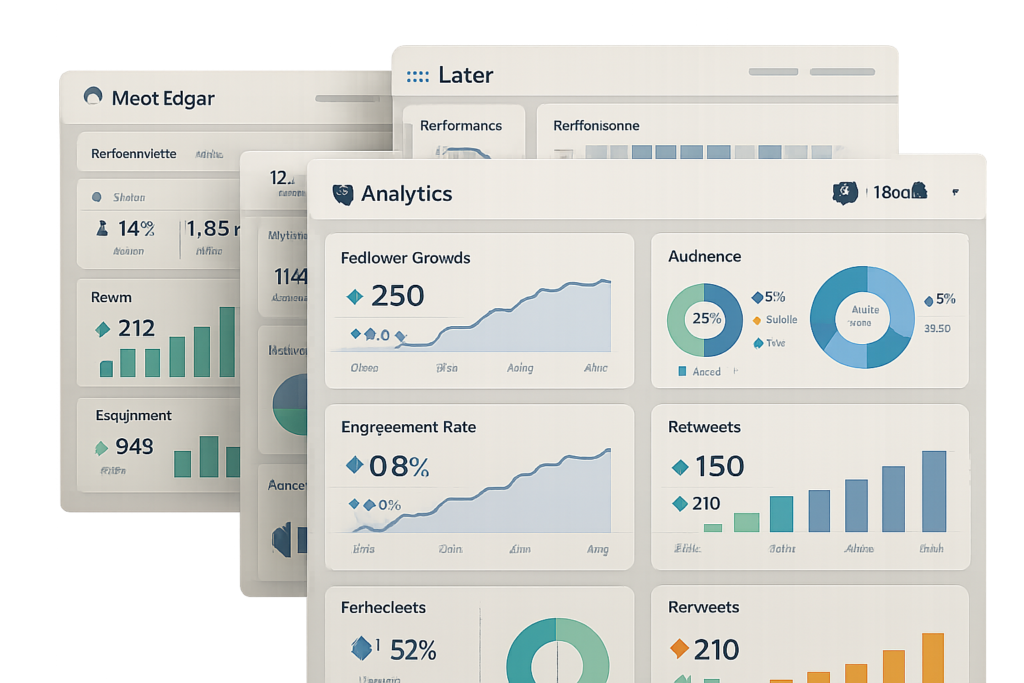
Later includes visual analytics with cross-platform comparisons, allowing you to see which content types perform best across different networks[1][3]. The reporting includes:
- Engagement rates by post type
- Follower growth trends
- Best performing content (by likes, comments, shares)
- Optimal posting time analysis
- Hashtag performance tracking
These insights help you refine your content strategy based on actual performance data rather than assumptions.
Hootsuite: The Enterprise Powerhouse 💼
Hootsuite has been around longer than most social media management tools, and that experience shows in its comprehensive feature set and enterprise-level capabilities. When I worked with a larger marketing agency managing dozens of client accounts, Hootsuite was the platform that could handle the complexity.
Hootsuite’s Professional Plan Features
At $19 per month billed annually, Hootsuite’s Professional plan supports 1 user with up to 10 social media accounts[4]. While this might seem expensive compared to Buffer’s entry-level pricing, the value becomes apparent when you examine what’s included.
Enhanced Analytics Dashboard
Hootsuite provides detailed analytics breakdowns including:
- Retweets and mentions tracking
- Follower growth over time
- Demographic-based insights (age, location, gender)
- Engagement rate calculations
- Competitive benchmarking
- Custom report creation[4]
These analytics go far beyond basic engagement metrics, providing the depth needed for strategic decision-making and client reporting.
Bulk Scheduling: A Game-Changer
One of Hootsuite’s most underrated features is its bulk messaging tool, which allows scheduling of unlimited messages via Excel file uploads[4]. This significantly reduces manual data entry compared to individual post scheduling.
I once needed to schedule 200 posts across 6 different accounts for a multi-month campaign. With most platforms, this would have taken days of tedious work. With Hootsuite’s bulk upload feature, I formatted everything in a spreadsheet, uploaded it, and had the entire campaign scheduled in under an hour.
For agencies managing multiple clients or brands running large-scale campaigns, this feature alone can justify the higher price point.
Hootsuite’s Team Collaboration
Hootsuite was built with teams in mind. The platform includes:
- Assignment workflows: Delegate tasks to specific team members
- Approval chains: Multi-level content approval processes
- Team performance tracking: See who’s contributing what
- Client access controls: Grant limited access without sharing login credentials
- Shared content libraries: Centralized asset management
These features make Hootsuite particularly well-suited for agencies and larger marketing departments where coordination and accountability are essential.
Hootsuite’s Learning Curve
The trade-off for all this power is complexity. Hootsuite has a steeper learning curve than Buffer or Later. New users often feel overwhelmed by the number of features, settings, and configuration options. However, once you invest the time to learn the platform, the efficiency gains are substantial.
MeetEdgar: The Automation Innovator 🤖
MeetEdgar represents a fundamentally different approach to social media management. While most tools focus on scheduling content once, MeetEdgar emphasizes content recycling and automation. This philosophy resonated with me when I realized how much evergreen content I was creating but only sharing once.
MeetEdgar’s Category-Based System
Unlike traditional queue-based systems that deplete over time, MeetEdgar uses a category-based content library that stores posts indefinitely, allowing automatic content recycling where published posts return to the queue for resharing[1][2].
Here’s how it works:
- You create content and assign it to categories (e.g., “Blog Posts,” “Tips,” “Quotes,” “Product Features”)
- You set a posting schedule for each category (e.g., “Blog Posts” on Monday and Thursday, “Tips” on Tuesday and Friday)
- MeetEdgar automatically pulls content from the appropriate category and publishes it
- After a post is published, it returns to the library for future use
This system ensures your social feeds stay active with valuable content even when you’re not actively creating new posts.
Unlimited Categories and Automatic Queue Refilling
MeetEdgar supports unlimited categories for organizing content and automatic queue refilling, eliminating the need for manual rescheduling while maintaining evergreen content accessibility[2].
I’ve found this particularly valuable for educational content, industry tips, and company values that remain relevant indefinitely. Instead of letting great content disappear after a single post, MeetEdgar ensures it continues reaching new audience members who may have missed it the first time.
AI-Powered Content Optimization
MeetEdgar emphasizes AI-powered content optimization through auto-generated post variations, smart scheduling, and automatic queue refilling based on evergreen content recycling[1][2].
The platform can:
- Generate multiple variations of the same content
- Test different headlines and calls-to-action
- Optimize posting times based on performance data
- Automatically refresh your content mix
This level of automation is particularly appealing for solo entrepreneurs and small teams who struggle to maintain consistent social media presence.
MeetEdgar’s Limitations
No Unified Inbox
MeetEdgar’s biggest weakness is that it lacks a unified inbox and focuses primarily on content scheduling and automation rather than real-time engagement features[1]. This may limit its appeal for teams prioritizing community management.
If responding to comments and messages is a significant part of your social media strategy, you’ll need to use MeetEdgar in conjunction with native platform apps or another tool that handles engagement.
Basic Analytics
While MeetEdgar offers basic post performance tracking, it doesn’t provide the depth of analytics found in Hootsuite or even Later[1]. You can see which posts performed well, but you won’t get detailed demographic insights or sophisticated reporting capabilities.
The Social Media Management Tools Battle: Head-to-Head Comparison
Let’s break down how these platforms stack up across key features:
Scheduling Capabilities Comparison
| Feature | Buffer | Later | Hootsuite | MeetEdgar |
|---|---|---|---|---|
| Posts per account | 100 (paid plans) | Varies by plan | Unlimited | Unlimited |
| Bulk scheduling | Limited | Yes | Excel upload | CSV import |
| Visual calendar | Basic | Advanced | Moderate | Category-based |
| Queue system | Traditional | Traditional | Traditional | Evergreen recycling |
| Best time suggestions | Basic | Data-driven | Yes | AI-powered |
Analytics Dashboard Comparison
| Feature | Buffer | Later | Hootsuite | MeetEdgar |
|---|---|---|---|---|
| Engagement metrics | ✅ Basic | ✅ Visual | ✅ Comprehensive | ✅ Basic |
| Demographic data | ❌ Limited | ✅ Yes | ✅ Detailed | ❌ No |
| Cross-platform comparison | ✅ Yes | ✅ Yes | ✅ Yes | ❌ Limited |
| Custom reports | ✅ Exportable | ✅ Yes | ✅ Advanced | ❌ Basic |
| Competitive analysis | ❌ No | ❌ No | ✅ Yes | ❌ No |
Team Collaboration Features Comparison
| Feature | Buffer | Later | Hootsuite | MeetEdgar |
|---|---|---|---|---|
| Post approvals | ✅ Yes | ✅ Yes | ✅ Multi-level | ✅ Basic |
| Team roles | ✅ Yes | ✅ Yes | ✅ Advanced | ✅ Limited |
| Shared calendars | ✅ Yes | ✅ Yes | ✅ Yes | ✅ Category-based |
| Unified inbox | ❌ No | ✅ Yes | ✅ Yes | ❌ No |
| Client reporting | ✅ Exportable | ✅ Yes | ✅ Advanced | ❌ Basic |
Pricing Considerations: What’s the Real Cost?
When evaluating the Social Media Management Tools Battle: Buffer vs Later vs Hootsuite vs MeetEdgar, pricing is obviously a major factor. But the “best deal” isn’t always the cheapest option—it’s the one that provides the most value for your specific needs.
Buffer Pricing Philosophy
Buffer is known for its transparent, affordable pricing structure[1]. The platform offers:
- A free plan with limited features
- Paid plans starting at reasonable monthly rates
- No hidden fees or surprise charges
- Clear feature differentiation between tiers
For small businesses and solo entrepreneurs just starting with social media management, Buffer’s entry-level pricing is hard to beat.
Hootsuite’s Value Proposition
At $19/month billed annually for the Professional plan supporting 10 accounts[4], Hootsuite costs more than Buffer but provides significantly more features. The question is whether you’ll actually use those features.
If you need:
- Advanced analytics and reporting
- Bulk scheduling capabilities
- Enterprise-level team collaboration
- Competitive analysis tools
Then Hootsuite’s higher price point represents good value. If you just need basic scheduling, you’re paying for features you won’t use.
Later and MeetEdgar Pricing
Both Later and MeetEdgar fall somewhere between Buffer’s affordability and Hootsuite’s premium pricing. The value proposition depends on which features matter most to you:
- Later is worth the investment if visual content planning and Instagram optimization are priorities
- MeetEdgar justifies its cost if content recycling and automation align with your strategy
Real-World Use Cases: Which Tool for Which Situation?
After years of using all four platforms in different contexts, I’ve developed clear recommendations for specific scenarios:
🎯 Best for Solo Entrepreneurs: Buffer
If you’re a one-person operation managing 3-5 social accounts, Buffer’s simplicity and affordability make it the obvious choice. You don’t need complex features—you need something that works reliably without requiring hours of training.
Perfect for:
- Freelancers building personal brands
- Small business owners wearing multiple hats
- Content creators focused on consistent posting
- Anyone who values simplicity over advanced features
📸 Best for Visual Brands: Later
If Instagram is central to your marketing strategy, or if maintaining visual consistency across platforms is crucial, Later’s visual planning tools are unmatched.
Perfect for:
- Fashion and lifestyle brands
- Photographers and visual artists
- E-commerce businesses with strong visual identity
- Influencers focused on aesthetic consistency
💼 Best for Agencies and Teams: Hootsuite
When you’re managing multiple client accounts, need detailed reporting, and require sophisticated team collaboration, Hootsuite’s comprehensive feature set justifies the higher cost.
Perfect for:
- Marketing agencies with multiple clients
- Large marketing departments
- Brands requiring detailed analytics and reporting
- Teams needing complex approval workflows
🤖 Best for Content Recycling: MeetEdgar
If you create lots of evergreen content and want to maximize its value through automatic resharing, MeetEdgar’s category-based system is revolutionary.
Perfect for:
- Educational content creators
- Thought leaders sharing timeless insights
- Businesses with extensive content libraries
- Anyone struggling to maintain consistent posting
Common Mistakes in the Social Media Management Tools Battle
Through my own experiences and observing others, I’ve noticed several common mistakes people make when choosing between these platforms:
Mistake #1: Choosing Based on Price Alone
The cheapest tool isn’t always the best value. I once switched from Hootsuite to a cheaper alternative to save $15/month, only to waste hours each week dealing with limitations and bugs. The time cost far exceeded the money saved.
Better approach: Calculate the total cost including your time investment and opportunity costs.
Mistake #2: Overvaluing Features You Won’t Use
It’s easy to get excited about advanced features during the evaluation process, only to realize you never actually use them. I signed up for platforms with impressive AI capabilities that I accessed maybe twice in six months.
Better approach: Focus on the 3-4 features you’ll use daily, not the 20 features that sound cool in theory.
Mistake #3: Undervaluing Analytics
Many people choose scheduling tools based solely on posting capabilities, then struggle to prove ROI or optimize their strategy because they lack adequate analytics.
Better approach: Ensure your chosen platform provides the reporting depth you need for strategic decision-making.
Mistake #4: Ignoring Team Collaboration Needs
If you’re currently working solo but plan to grow your team, choosing a platform without adequate collaboration features can force a costly migration later.
Better approach: Consider your 12-month roadmap, not just your current situation.
Integration and Ecosystem Considerations
None of these tools exist in isolation. In 2025, your social media management platform needs to integrate with your broader marketing technology stack.
Buffer Integrations
Buffer connects with major platforms and offers integrations with tools like:
- Canva for design
- Feedly for content discovery
- Pablo for quick image creation
- Various analytics platforms
Later Integrations
Later’s integrations focus heavily on visual content and e-commerce:
- Linkin.bio for Instagram shopping
- Canva for design
- Shopify for product tagging
- Various stock photo libraries
Hootsuite Integrations
Hootsuite offers the most extensive integration ecosystem, connecting with hundreds of tools including:
- CRM platforms
- Project management tools
- Analytics suites
- Advertising platforms
- Content management systems
MeetEdgar Integrations
MeetEdgar’s integrations are more limited but include:
- RSS feeds for automatic content import
- URL shorteners
- Basic analytics tools
The Future of Social Media Management Tools
As we progress through 2025, several trends are shaping the evolution of these platforms:
AI and Automation
All four platforms are incorporating more AI capabilities, but MeetEdgar is leading in automation-first design. Expect to see more:
- AI-generated content variations
- Predictive analytics
- Automated optimization
- Smart content recommendations
Video Content Focus
With video dominating social media engagement, tools are enhancing video scheduling, editing, and analytics capabilities. Later has been particularly aggressive in adding video-specific features.
Cross-Platform Stories
As ephemeral content remains popular, management tools are improving their support for Stories across Instagram, Facebook, and other platforms.
Enhanced Analytics
The gap between basic and advanced analytics tools continues to widen. Hootsuite is pushing toward enterprise-level business intelligence, while Buffer maintains its focus on accessible, actionable insights.
Making Your Decision: A Framework
Here’s the framework I use when recommending tools to clients in the Social Media Management Tools Battle: Buffer vs Later vs Hootsuite vs MeetEdgar:
Step 1: Define Your Primary Goal
What’s the single most important outcome you need from a social media management tool?
- Consistent posting with minimal time investment → Buffer or MeetEdgar
- Visual brand consistency → Later
- Comprehensive analytics and reporting → Hootsuite
- Content recycling and automation → MeetEdgar
Step 2: Assess Your Team Size
- Solo or 2-3 people → Buffer or Later
- Small team (4-10 people) → Buffer or Hootsuite
- Large team or agency → Hootsuite
Step 3: Calculate Your Budget
Consider not just the subscription cost but also:
- Time to learn the platform
- Time saved through automation
- Value of analytics and insights
- Cost of integrations and add-ons
Step 4: Evaluate Platform Priority
Which social networks matter most to your strategy?
- Instagram-focused → Later
- Multi-platform balanced → Buffer or Hootsuite
- Evergreen content across platforms → MeetEdgar
Step 5: Test Before Committing
Most platforms offer free trials. Actually use them for real work, not just exploration. Schedule a week’s worth of content, run reports, collaborate with team members, and see which platform fits your workflow naturally.
Conclusion: There’s No Single Winner
After exploring the Social Media Management Tools Battle: Buffer vs Later vs Hootsuite vs MeetEdgar in depth, the truth is clear: there’s no universally “best” platform. Each tool excels in different areas and serves different needs.
Buffer wins on simplicity, affordability, and ease of use—perfect for small businesses and solo entrepreneurs who want reliable scheduling without complexity.
Later dominates visual content planning and Instagram optimization, making it ideal for brands where aesthetic consistency drives engagement.
Hootsuite provides enterprise-level features, comprehensive analytics, and sophisticated team collaboration—the right choice for agencies and larger organizations.
MeetEdgar revolutionizes content recycling and automation, solving the evergreen content challenge that plagues many marketers.
Your Action Plan
- Define your primary need using the framework above
- Start a free trial with your top two choices
- Schedule real content for at least one week on each platform
- Evaluate the experience honestly—which felt more natural?
- Make your decision based on actual usage, not feature lists
Remember, you can always switch later if your needs change. The social media landscape evolves constantly, and your tools should evolve with it. The important thing is to stop juggling multiple platform logins and start managing your social presence strategically.
The right tool transforms social media from a time-consuming chore into a strategic advantage. Choose wisely, and you’ll wonder how you ever managed without it. Choose poorly, and you’ll waste hours fighting with software instead of engaging with your audience.
What matters most isn’t which tool wins the battle—it’s which tool wins for you.
References
[1] Comparative analysis of social media management platform features and user feedback, 2025
[2] MeetEdgar platform documentation and feature specifications, 2025
[3] Later platform capabilities and visual planning features analysis, 2025
[4] Hootsuite Professional plan pricing and analytics features documentation, 2025