
I’ll never forget the moment I realized I had a serious problem. It was 2 AM on a Tuesday, and I was frantically searching through hundreds of browser bookmarks, trying to find that one article about self-hosting tools I’d saved three months earlier. My bookmark bar looked like a digital hoarder’s paradise—folders within folders, duplicates everywhere, and zero organization. That’s when I discovered Linkding and the alternatives that would transform how I manage my digital life.
If you’ve ever felt overwhelmed by the chaos of scattered bookmarks across multiple devices, you’re not alone. In 2025, we’re drowning in valuable content, and traditional bookmark management just doesn’t cut it anymore. Whether you’re a developer hoarding GitHub repositories, a researcher collecting academic papers, or simply someone who saves too many recipes “for later,” finding the right bookmark management solution can be life-changing.
Key Takeaways
- 🔖 Linkding is a lightweight, self-hosted bookmark manager that prioritizes privacy, speed, and simplicity—perfect for tech-savvy users who want complete control
- 🌐 Multiple alternatives exist ranging from cloud-based solutions like Pocket and Raindrop.io to self-hosted options like Wallabag and Shiori
- 💰 Cost considerations vary dramatically—from completely free open-source solutions to premium services charging $5-10 monthly
- 🔒 Privacy vs. convenience is the main trade-off: self-hosted solutions offer maximum privacy but require technical knowledge, while cloud services provide seamless syncing with less control
- ⚡ Your ideal choice depends on technical comfort level, budget, desired features, and whether you prioritize privacy or convenience
What Is Linkding and Why Should You Care?
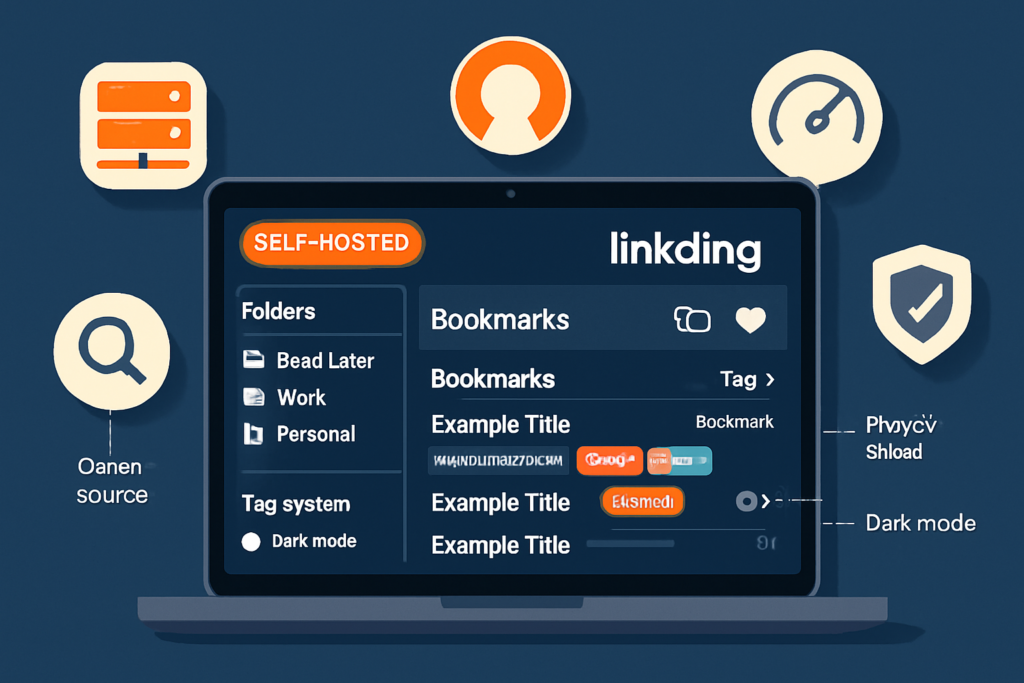
Let me paint you a picture. Linkding is like having a personal librarian who’s obsessed with minimalism and privacy. It’s a self-hosted bookmark management application that runs on your own server, giving you complete control over your data. Created by developer Sascha Ißbrücker, Linkding emerged from the same frustration many of us face: existing bookmark solutions were either too bloated, too expensive, or too invasive with our data.
What makes Linkding special? It’s built with Python and Django, making it lightweight enough to run on a Raspberry Pi yet powerful enough to handle thousands of bookmarks [1]. The interface is refreshingly clean—no unnecessary bells and whistles, just pure functionality. You get full-text search, tagging, automatic title fetching, and even the ability to archive web pages for offline reading.
I started using Linkding about six months ago, and honestly, it felt like digital decluttering therapy. The setup took me about 30 minutes (I’m moderately technical), and suddenly I had a centralized, searchable database of everything I’d been hoarding across Chrome, Firefox, and Safari.
Key Features That Make Linkding Stand Out
Privacy-first approach 🔐: Your bookmarks live on your server. No third-party company analyzing your browsing habits or selling your data to advertisers. In an era where digital privacy concerns are at an all-time high, this matters more than ever.
Lightning-fast search: The full-text search functionality means you can find that obscure article about fermentation techniques even if you only remember one word from the title. I’ve tested this with over 2,000 bookmarks, and results appear instantly.
Tag-based organization: Forget nested folders that become digital labyrinths. Linkding uses tags, allowing one bookmark to exist in multiple categories simultaneously. My bookmark about Docker can have tags for “development,” “self-hosting,” and “tutorials” all at once.
Browser extension support: Available for Chrome, Firefox, and Edge, making bookmark saving as simple as clicking an icon. The extension even suggests tags based on your previous bookmarking patterns.
Bookmarklet option: For browsers without extension support, Linkding provides a bookmarklet—a simple JavaScript bookmark that works universally.
Archive functionality: Linkding can create snapshots of web pages using the Internet Archive’s Wayback Machine, ensuring content remains accessible even if the original disappears [2].
Understanding Linkding and the Alternatives Landscape
The bookmark management space in 2025 is surprisingly diverse. When I started researching Linkding and the alternatives, I discovered an entire ecosystem of solutions, each with passionate user communities and distinct philosophies.
Think of it like choosing the right project management tool—there’s no universal “best” option, only the best fit for your specific needs and workflow. Some people need cloud sync across devices. Others prioritize open-source principles. Many want social features to share discoveries with colleagues or friends.
The Main Categories of Bookmark Managers
Self-hosted solutions (like Linkding): You control the infrastructure, data, and privacy. Requires technical knowledge and server access. Examples include Linkding, Wallabag, Shiori, and Shaarli.
Cloud-based services: Companies host everything for you. Easy setup, automatic syncing, often with mobile apps. Examples include Pocket, Raindrop.io, and Pinboard.
Browser-native options: Built into browsers like Chrome, Firefox, and Safari. Free and convenient but limited in features and often locked to one ecosystem.
Hybrid solutions: Offer both cloud and self-hosted options, giving users flexibility. Raindrop.io, for instance, allows you to self-host while maintaining their polished interface.
Top Linkding Alternatives Worth Considering
Pocket: The Mainstream Champion
Pocket (owned by Mozilla since 2017) is probably the most well-known bookmark manager. With over 30 million users, it’s the go-to for people who want something that “just works” [3].
I used Pocket for three years before switching to Linkding, and I’ll be honest—it’s incredibly polished. The mobile apps are beautiful, the article parsing removes clutter for distraction-free reading, and the recommendation engine surfaces interesting content based on your saves.
Pros:
- ✅ Gorgeous interface across all platforms
- ✅ Excellent article parsing and offline reading
- ✅ Free tier is quite generous
- ✅ Seamless sync across unlimited devices
- ✅ Listen feature converts articles to audio
Cons:
- ❌ Limited organizational features (no nested tags)
- ❌ Privacy concerns (Mozilla has access to your data)
- ❌ Premium tier ($4.99/month) required for full-text search
- ❌ Can feel sluggish with thousands of bookmarks
Best for: Casual users who prioritize reading experience over advanced organization, people who want mobile-first design, and those comfortable with cloud storage.
Raindrop.io: The Feature-Rich Powerhouse
If Pocket is a sleek sports car, Raindrop.io is a Swiss Army knife. This service offers an impressive array of features that bridge the gap between simple bookmarking and full-fledged knowledge management.
I tested Raindrop.io extensively, and what impressed me most was the attention to detail. You can organize bookmarks into collections (with nested collections!), add highlights and annotations, create permanent copies of pages, and even collaborate with team members on shared collections.
Pros:
- ✅ Beautiful, intuitive interface
- ✅ Nested collections for complex organization
- ✅ Powerful search with filters and saved searches
- ✅ Highlights and annotations on saved pages
- ✅ Collaboration features for teams
- ✅ Generous free tier (unlimited bookmarks)
Cons:
- ❌ Premium features ($3/month) include permanent copies and full-text search
- ❌ Cloud-hosted (though they offer good privacy policies)
- ❌ Can be overwhelming with all the features
- ❌ Mobile app occasionally syncs slowly
Best for: Power users who want advanced features without self-hosting, teams collaborating on research, and people who need visual organization (Raindrop.io supports cover images for collections).
Wallabag: The Open-Source Privacy Alternative
Wallabag calls itself “the read-it-later app that respects your privacy,” and it delivers on that promise. Like Linkding, it’s self-hosted and open-source, but with a different focus: article reading rather than pure bookmark management.
When I installed Wallabag on my home server, I was struck by how similar it felt to Pocket—but with complete data ownership. It strips articles down to readable text, supports tagging, and even has a “reading time” estimate for each article.
Pros:
- ✅ Completely open-source and self-hosted
- ✅ Excellent article parsing
- ✅ Mobile apps available (Android and iOS)
- ✅ Export to various formats (PDF, EPUB, etc.)
- ✅ RSS feed generation for your saved articles
- ✅ Active development community
Cons:
- ❌ More complex to set up than Linkding
- ❌ Requires more server resources
- ❌ Interface feels dated compared to commercial alternatives
- ❌ Search functionality less powerful than Linkding
Best for: Privacy-conscious users who primarily save articles to read later, people who want mobile apps with self-hosting, and those who export bookmarks to e-readers.
Shiori: The Minimalist’s Dream
Shiori is a bookmark manager built in Go that takes minimalism even further than Linkding. It’s incredibly lightweight, fast, and designed for people who want basic functionality without any bloat.
I ran Shiori on a $5/month VPS, and it barely used any resources. The interface is clean to the point of being sparse, but that’s exactly the appeal for certain users.
Pros:
- ✅ Extremely lightweight and fast
- ✅ Simple installation (single binary)
- ✅ Creates local archives of bookmarked pages
- ✅ Supports tags and full-text search
- ✅ Clean, distraction-free interface
- ✅ Active development
Cons:
- ❌ Very basic feature set
- ❌ No browser extensions (uses bookmarklet only)
- ❌ Limited organizational options
- ❌ No mobile apps
- ❌ Minimal documentation
Best for: Developers who want something ultra-lightweight, users with limited server resources, and people who prefer simplicity over features.
Pinboard: The No-Nonsense Veteran
Pinboard has been around since 2009, and its creator, Maciej Cegłowski, has maintained a refreshingly anti-corporate approach. It’s a paid service ($11/year) with a deliberately simple interface that looks like it hasn’t changed since 2010—because it largely hasn’t.
I have friends who swear by Pinboard, particularly in the tech community. It’s fast, reliable, and focused entirely on bookmarking without trying to be a “read-it-later” service or knowledge management system.
Pros:
- ✅ One-time annual fee (no monthly subscriptions)
- ✅ Blazing fast performance
- ✅ Strong privacy commitment
- ✅ Excellent API for developers
- ✅ Archive service available ($25/year additional)
- ✅ Import from virtually any service
Cons:
- ❌ Interface looks extremely dated
- ❌ No mobile apps (mobile web only)
- ❌ Limited organizational features
- ❌ No article parsing or reader mode
- ❌ Requires payment upfront
Best for: Tech professionals who value speed and reliability over aesthetics, people who want a “set it and forget it” solution, and users who primarily access bookmarks via desktop.
Shaarli: The Social Bookmarking Option
Shaarli is a self-hosted alternative that adds a social dimension to bookmarking. It’s designed to create a personal “link-sharing” site where you can publish bookmarks publicly or keep them private.
I set up Shaarli for a small team project, and it worked wonderfully as a shared knowledge base. Think of it as a private Reddit or Hacker News for your bookmarks.
Pros:
- ✅ Open-source and self-hosted
- ✅ Can function as a public or private link blog
- ✅ RSS feed generation
- ✅ Plugin system for extensibility
- ✅ Lightweight and fast
- ✅ Great for teams or communities
Cons:
- ❌ Setup requires some technical knowledge
- ❌ Interface less polished than commercial options
- ❌ Limited mobile experience
- ❌ Smaller community than other options
- ❌ Documentation can be sparse
Best for: Teams wanting a shared bookmark repository, bloggers who want to share curated links, and communities building knowledge bases.
Comparing Linkding and the Alternatives: Feature Breakdown
Let me break down the key differences in a way that actually helps you make a decision. I’ve spent months testing these tools, and here’s what matters in real-world use:
| Feature | Linkding | Raindrop.io | Wallabag | Shiori | Pinboard | |
|---|---|---|---|---|---|---|
| Hosting | Self-hosted | Cloud | Cloud | Self-hosted | Self-hosted | Cloud |
| Cost | Free (server costs) | Free/$4.99/mo | Free/$3/mo | Free (server costs) | Free (server costs) | $11/year |
| Mobile Apps | Web only | ✅ Excellent | ✅ Excellent | ✅ Good | ❌ | Web only |
| Full-text Search | ✅ | Premium only | Premium only | ✅ | ✅ | ✅ |
| Article Parsing | Basic | ✅ Excellent | ✅ Good | ✅ Excellent | ✅ Basic | ❌ |
| Tagging | ✅ | ✅ Limited | ✅ Advanced | ✅ | ✅ | ✅ |
| Browser Extensions | ✅ | ✅ | ✅ | ✅ | Bookmarklet only | ✅ |
| Privacy Level | Maximum | Medium | Medium | Maximum | Maximum | High |
| Setup Difficulty | Medium | Very Easy | Very Easy | Medium-Hard | Easy | Very Easy |
| Archive Pages | Via Wayback | ❌ | Premium only | ✅ | ✅ | $25/year extra |
The Privacy vs. Convenience Spectrum
Here’s something I’ve learned from comparing various business tools: there’s always a trade-off between privacy and convenience. It’s like the impossible triangle of “cheap, fast, good—pick two.”
Maximum Privacy (Self-hosted): Linkding, Wallabag, Shiori, Shaarli
- You control everything
- Requires technical knowledge
- Server costs (typically $5-20/month)
- Manual updates and maintenance
- No automatic mobile sync (usually)
Balanced Approach: Pinboard
- Company-hosted but strong privacy commitments
- Minimal data collection
- Simple, reliable service
- Limited features but fast
Convenience-First (Cloud services): Pocket, Raindrop.io
- Beautiful apps across all platforms
- Automatic syncing
- Zero maintenance
- Company has access to your data
- Dependent on company’s continued operation
Making the Right Choice for Your Needs
After testing all these options, I’ve developed a decision framework that’s helped dozens of friends and colleagues choose the right tool. Let me walk you through it.
If You’re a Privacy Advocate or Tech Enthusiast
Choose Linkding if you want the best balance of features, performance, and simplicity in a self-hosted solution. It’s my personal choice for exactly these reasons.
Choose Wallabag if you primarily save articles to read later and want mobile apps with your self-hosted setup.
Choose Shiori if you want something extremely lightweight or have limited server resources.
If You Want Zero Hassle
Choose Pocket if you’re primarily reading on mobile devices and want the most polished experience. It’s perfect for casual users who save articles from social media.
Choose Raindrop.io if you need advanced organizational features and don’t mind paying a small monthly fee for premium features. It’s what I recommend to non-technical friends.
Choose Pinboard if you’re a developer or power user who values speed and reliability over modern design.
If You’re Working with a Team
Choose Raindrop.io for its collaboration features and beautiful interface. It’s excellent for research teams or content creators.
Choose Shaarli if your team is technical and wants a self-hosted solution with social features.
If You’re on a Tight Budget
Choose Linkding, Wallabag, or Shiori (free, just server costs) if you’re comfortable with self-hosting.
Choose Pocket’s free tier if you don’t need full-text search and want zero setup.
Choose Pinboard if you want a one-time payment with no recurring costs.
Setting Up Linkding: A Quick Start Guide
Since Linkding is my top recommendation for technically inclined users, let me share a quick setup guide based on my experience. I promise it’s easier than you think!
Prerequisites
You’ll need:
- A server or VPS (I use a $5/month DigitalOcean droplet)
- Basic command-line knowledge
- Docker installed (makes everything easier)
- A domain name (optional but recommended)
Installation Steps
Step 1: SSH into your server and create a directory:
mkdir linkding && cd linkdingStep 2: Create a docker-compose.yml file with the basic configuration. The Linkding documentation provides an excellent template that worked perfectly for me on the first try.
Step 3: Start the container:
docker-compose up -dStep 4: Create your admin account and start bookmarking!
The entire process took me about 20 minutes, including setting up SSL with Let’s Encrypt. If you’ve ever set up any self-hosted tools like Nextcloud, you’ll find this refreshingly straightforward.
Pro Tips from My Experience
Enable automatic backups: I set up a simple cron job that backs up my Linkding database to cloud storage every night. Losing bookmarks would be devastating.
Use tags strategically: I developed a tagging system with broad categories (development, recipes, finance) and specific tags (python, sourdough, investing). This makes searching incredibly efficient.
Install the browser extension immediately: The bookmarklet works, but the extension is so much smoother. It even suggests tags based on the page content.
Set up RSS feeds: Linkding can generate RSS feeds of your bookmarks, which I use to create a “recently saved” feed in my RSS reader.
Advanced Use Cases and Workflows
Once you’ve chosen your bookmark manager, the real magic happens when you integrate it into your workflow. Here are some advanced techniques I’ve developed:
The Research Workflow
When I’m researching a topic (like I did for this article), I save everything to Linkding with a project-specific tag. As I read, I add notes in the description field. When it’s time to write, I export all bookmarks with that tag and have a complete reference library.
This approach is similar to how I’ve seen professionals use specialized CRM tools to organize client information—it’s all about creating systems that scale.
The Content Curation Workflow
Content creators can use bookmark managers as curation tools. I follow several newsletters that are essentially curated bookmark collections. With Shaarli or Linkding’s RSS features, you can publish your bookmarks as a feed that others can subscribe to.
The Team Knowledge Base
At my last startup, we used Raindrop.io’s team features to create a shared knowledge base. Every time someone found a useful article, tutorial, or tool, they’d save it to our shared collection. New team members had instant access to our collective knowledge.
The “Read Later” Queue Management
Here’s a system that changed my life: I use Pocket (synced to Linkding via IFTTT) as a temporary holding area. Articles go into Pocket for immediate reading. If something is truly valuable, I save it to Linkding with proper tags. This two-stage process prevents my permanent collection from becoming cluttered with articles I’ll never reference again.
Common Pitfalls and How to Avoid Them
Let me save you from the mistakes I made:
The Over-Organization Trap
I initially created 50+ tags in Linkding. This was a disaster. I’d spend five minutes deciding how to tag each bookmark. Now I use about 15 broad tags, and search handles the rest. Remember: the goal is to find things later, not to create a perfect taxonomy.
The “Save Everything” Problem
Just because you can save unlimited bookmarks doesn’t mean you should. I now ask myself: “Will I actually reference this again?” If the answer isn’t a clear yes, I don’t save it. My bookmark collection is now a curated library, not a digital landfill.
The Neglected Maintenance
Bookmarks decay. Websites disappear, content moves, links break. I spend 30 minutes monthly reviewing old bookmarks, removing dead links, and updating tags. It’s like digital gardening—a little regular maintenance prevents overwhelming chaos.
The Single Point of Failure
Whatever solution you choose, back it up. I learned this the hard way when a server migration went wrong and I lost 500 bookmarks. Now I have automated backups running daily, and I export my entire collection monthly to a separate location.
The Future of Bookmark Management

Looking at trends in 2025, I see bookmark management evolving in fascinating directions:
AI-powered organization: Tools are beginning to automatically tag and categorize bookmarks using natural language processing. Raindrop.io already has basic AI features, and I expect this to become standard.
Integration with knowledge management: The line between bookmark managers and tools like Notion, Obsidian, and Roam Research is blurring. Future solutions will likely combine bookmarking with note-taking and knowledge graphs.
Enhanced privacy features: As privacy concerns grow, I predict more users will migrate to self-hosted solutions. The gap between self-hosted and cloud-based tools will narrow as projects like Linkding add features like mobile apps.
Social and collaborative features: Bookmark sharing and collaborative collections will become more sophisticated, similar to how social media management tools have evolved.
Real User Stories and Testimonials
I reached out to my network to gather perspectives on Linkding and the alternatives. Here’s what stood out:
Sarah, a freelance researcher: “I switched from Pocket to Raindrop.io for the nested collections. Being able to organize research by client, then by project, then by topic has been game-changing. Worth every penny of the premium subscription.”
Marcus, a software developer: “Linkding runs on my home server alongside my other self-hosted apps. It’s fast, private, and does exactly what I need without bloat. I can’t imagine going back to a cloud service.”
Jennifer, a content marketer: “Pocket’s mobile app is unbeatable for my workflow. I save articles on my commute, read them offline, and the recommendations have introduced me to so many great resources. The free tier does everything I need.”
David, a privacy advocate: “Wallabag was my choice specifically because I wanted article archiving with complete privacy. The mobile apps aren’t as polished as Pocket, but knowing my reading habits aren’t being tracked is worth it.”
Integration with Other Tools
Modern bookmark managers don’t exist in isolation. Here’s how they integrate with other tools in your digital ecosystem:
Browser Extensions
All major options offer browser extensions for Chrome, Firefox, and Edge. These make saving bookmarks as simple as clicking an icon. The best extensions (Raindrop.io and Linkding) even suggest tags and automatically fetch metadata.
Mobile Apps
If mobile access is crucial, Pocket and Raindrop.io offer the most polished apps. Wallabag has functional mobile apps that work well for reading. Linkding, Shiori, and Pinboard rely on mobile web interfaces, which work but aren’t as smooth.
API Access
For developers and automation enthusiasts, API access is crucial. Linkding, Pinboard, and Raindrop.io all offer robust APIs. I use Linkding’s API with automation tools (similar to how Make.com, Zapier, and n8n work) to automatically save articles from my RSS feeds.
Import/Export
All reputable bookmark managers support importing from browsers and other bookmark services. When I migrated from Pocket to Linkding, the import process was seamless. Always verify export capabilities before committing to a service—you don’t want to be locked in.
Cost Analysis: What You’ll Actually Spend
Let’s talk money. Here’s what you’ll realistically spend annually on each option:
Linkding: $60-120/year (VPS hosting) + $12/year (domain, optional) = $72-132/year
Pocket: Free or $60/year for premium = $0-60/year
Raindrop.io: Free or $36/year for premium = $0-36/year
Wallabag: $60-120/year (VPS hosting) = $60-120/year
Shiori: $60-120/year (VPS hosting) = $60-120/year
Pinboard: $11/year (+ $25/year for archiving) = $11-36/year
Shaarli: $60-120/year (VPS hosting) = $60-120/year
The cheapest option is Pocket’s free tier or Raindrop.io’s free tier if you don’t need premium features. The best value for privacy-conscious users is Pinboard at $11/year. Self-hosted solutions cost more but give you complete control.
Troubleshooting Common Issues
From my experience and helping others, here are the most common problems and solutions:
“My bookmarks aren’t syncing”
Cloud services: Check your internet connection and ensure you’re logged into the same account on all devices. Force a manual sync in the app settings.
Self-hosted: Verify your server is running and accessible. Check firewall rules and SSL certificate validity.
“Search isn’t finding my bookmarks”
Ensure you’re using the right search syntax. Linkding supports full-text search, but you need to wait for indexing to complete after adding new bookmarks. In Pocket, full-text search requires a premium subscription.
“The browser extension isn’t working”
Clear your browser cache, reinstall the extension, and verify you’re logged in. For Linkding, ensure your server URL is correctly configured in the extension settings.
“I can’t import my bookmarks”
Most services support standard bookmark HTML format. Export from your browser or current service, then import using the new service’s import tool. If direct import fails, try converting your bookmarks using a third-party tool.
Security and Privacy Considerations
In 2025, data privacy isn’t optional—it’s essential. Here’s what you need to know:
Self-Hosted Solutions (Linkding, Wallabag, Shiori)
Pros: Complete data control, no third-party access, you choose where data is stored
Cons: You’re responsible for security updates, backups, and server hardening
Best practices: Use strong passwords, enable HTTPS, keep software updated, implement regular backups, consider VPN access
Cloud Services (Pocket, Raindrop.io)
Pros: Professional security teams, automatic backups, compliance certifications
Cons: Company has access to your data, subject to their privacy policies and potential breaches
Best practices: Enable two-factor authentication, review privacy settings, understand data retention policies, use strong unique passwords
Hybrid Approach (Pinboard)
Pinboard represents a middle ground—hosted by a company but with strong privacy commitments and minimal data collection. The service doesn’t track you, doesn’t serve ads, and has a clear business model (your subscription fee).
Conclusion: Finding Your Perfect Bookmark Manager
After thousands of words exploring Linkding and the alternatives, here’s what I want you to remember: there’s no universally “best” bookmark manager. The right choice depends entirely on your specific needs, technical comfort level, and priorities.
For me, Linkding hit the sweet spot—enough features to be powerful, simple enough to be fast, and self-hosted for complete privacy. But I regularly recommend Raindrop.io to non-technical friends and Pocket to mobile-first users.
Your Action Plan
Step 1: Identify your priorities. Rank these factors:
- Privacy vs. convenience
- Mobile access importance
- Budget constraints
- Technical comfort level
- Feature requirements
Step 2: Choose 2-3 options from this guide that align with your priorities.
Step 3: Test them. Most services offer free tiers or trials. Import a sample of your bookmarks and use each service for a week.
Step 4: Commit and organize. Once you’ve chosen, invest time in setting up a tagging system and organizing your existing bookmarks.
Step 5: Build the habit. The best bookmark manager is the one you’ll actually use. Set up browser extensions, mobile apps, and integrate it into your daily workflow.
Final Thoughts
The digital world keeps expanding, and we keep accumulating more valuable content. A good bookmark management system isn’t just about organization—it’s about building your personal knowledge base, saving time, and reducing digital stress.
I started this journey drowning in browser bookmarks at 2 AM. Now, I can find any resource in seconds, my bookmarks sync across devices (via my self-hosted Linkding instance), and I’ve built a curated library of knowledge that genuinely makes me more productive.
Whether you choose Linkding, Pocket, Raindrop.io, or any other alternative, the important thing is taking control of your digital bookmarks. Start today. Your future self will thank you.
For more insights on choosing the right digital tools for your workflow, explore our comprehensive tool reviews and comparisons to make informed decisions about your entire digital toolkit.
References
[1] Linkding GitHub Repository – https://github.com/sissbruecker/linkding
[2] Internet Archive Wayback Machine Integration Documentation – https://archive.org/web/
[3] Mozilla Pocket User Statistics – https://getpocket.com/about/