
I’ll never forget the day I watched two designers on my team argue passionately about which design tool was “the best.” One swore by Sketch’s speed and simplicity, while the other couldn’t stop raving about Figma’s real-time collaboration. Meanwhile, our Adobe Creative Cloud subscriber sat quietly in the corner, perfectly content with Adobe XD. That heated debate sparked my deep dive into understanding the Figma vs Adobe XD vs Sketch landscape—and honestly, it changed how I think about design tools entirely.
If you’re a UI/UX designer in 2025, you’ve probably faced this same dilemma. The design tool you choose isn’t just about pretty interfaces—it’s about how you prototype, how you manage assets, and how your team works together. The wrong choice can slow down your workflow, frustrate your developers, and make collaboration feel like pulling teeth.
In this comprehensive guide, I’m breaking down the Figma vs Adobe XD vs Sketch debate once and for all. We’ll explore prototyping capabilities, asset management systems, and team workflows to help you make the smartest decision for your specific needs.
Key Takeaways 🔑
- Figma leads in collaboration: Its browser-based platform offers real-time editing similar to Google Docs, making it ideal for distributed teams and remote work scenarios
- Adobe XD is in maintenance mode: No longer available for new purchases in 2025, but existing users benefit from tight Creative Cloud integration
- Sketch excels for Mac users: Native desktop performance and powerful symbol systems make it a favorite among Mac-based designers who prioritize speed
- Prototyping has evolved dramatically: All three tools now offer sophisticated animation and interactive features, with Figma pulling ahead in recent updates
- Your ecosystem matters most: The “best” tool depends on your team size, operating system, existing software subscriptions, and collaboration needs
Understanding the Design Tool Landscape in 2025
The UI/UX design world has transformed dramatically over the past few years. When I started designing websites back in 2015, we were still using Photoshop for screen design—can you imagine? The introduction of dedicated UI/UX tools revolutionized our industry, but it also created a challenging question: which tool should you invest your time learning?
The Figma vs Adobe XD vs Sketch debate isn’t just about features anymore. It’s about philosophy. Each tool represents a different approach to design:
- Figma embraces the cloud-first, collaboration-everywhere model
- Adobe XD focuses on ecosystem integration and familiar Adobe workflows
- Sketch champions native performance and Mac-optimized experiences
Let me share a quick story. Last year, I consulted with a startup that had chosen Sketch because their lead designer loved it. Six months later, they hired three remote designers across different time zones. Suddenly, their Sketch-based workflow became a nightmare of file versioning and Dropbox conflicts. They switched to Figma within a month, and their collaboration problems vanished overnight.
This illustrates a crucial point: the right tool depends on your specific context.
The Collaboration Revolution: How Teams Work Together
Figma’s Real-Time Collaboration Advantage
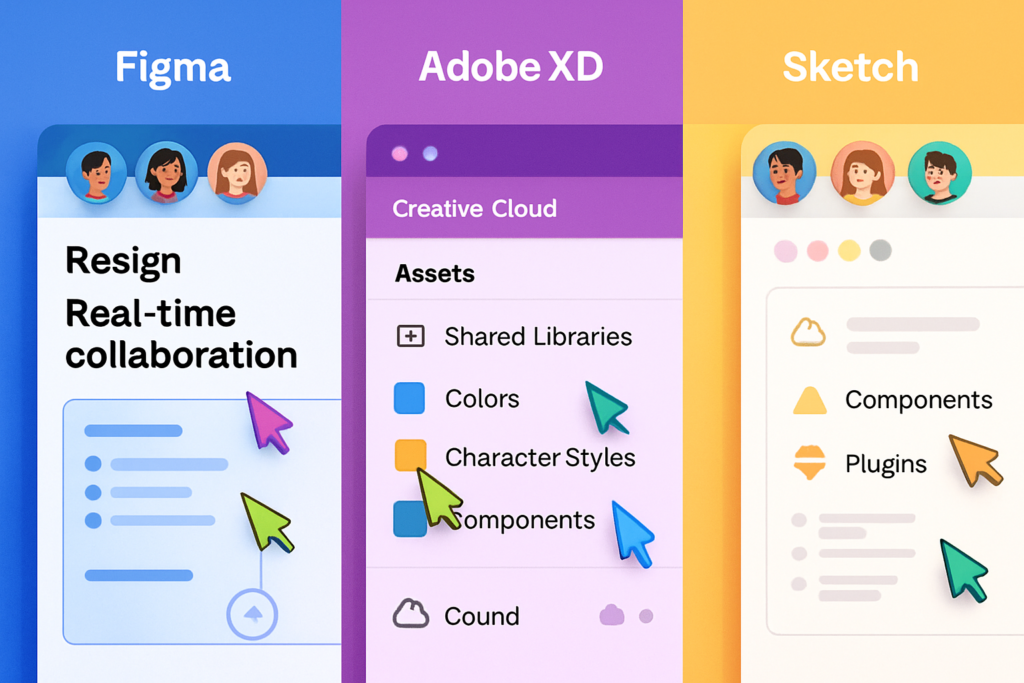
When people ask me about the Figma vs Adobe XD vs Sketch comparison, collaboration is where I see the clearest winner. Figma’s browser-based platform offers something truly special: multiple designers editing simultaneously with live cursors showing exactly where everyone is working.[1]
I experienced this firsthand during a rebranding project with a distributed team. We had designers in San Francisco, New York, and London all working on the same file. Watching cursors move in real-time, seeing comments appear instantly, and discussing changes through built-in chat felt like magic compared to our old workflow.
Figma’s collaboration features include:
- 🎯 Real-time multiplayer editing with live cursors
- 💬 Contextual commenting directly on design elements
- 📋 Version history with automatic saves
- 🔗 Shareable links that work in any browser
- 👥 Granular permission controls for team members
The beauty of Figma’s approach is that it works like Google Docs for design. No more “Can you send me the latest file?” or “Wait, which version are we using?” Everyone sees the same thing, always.
Adobe XD’s Creative Cloud Integration
Adobe XD takes a different approach to collaboration. While it offers co-editing capabilities, its real strength lies in seamless integration with other Adobe Creative Cloud applications.[2]
For teams already invested in the Adobe ecosystem, this integration is incredibly valuable. I worked with a design agency that used Illustrator for icon design, Photoshop for image editing, and After Effects for motion graphics. Adobe XD became their central hub, pulling assets from these tools effortlessly.
Adobe XD collaboration highlights:
- ✅ Shared cloud documents with co-editing
- 🎨 Direct import from Illustrator and Photoshop
- 📱 Live preview on mobile devices via companion app
- 🔄 Creative Cloud Libraries for shared assets
- 💼 Integration with enterprise Adobe workflows
However, there’s an important caveat in 2025: Adobe XD is no longer available for new purchases. Adobe has moved it into “maintenance mode,” meaning existing users receive updates and support, but the tool isn’t being actively developed with major new features.[3] This significantly impacts the Figma vs Adobe XD vs Sketch decision for anyone starting fresh.
Sketch’s Mac-Focused Collaboration Approach
Sketch approaches collaboration differently than both Figma and Adobe XD. As a native Mac desktop application, it prioritizes local performance and then adds collaboration through cloud features and third-party integrations.[4]
I’ve always appreciated Sketch’s philosophy: design fast locally, then share when ready. For solo designers or small Mac-based teams, this approach feels natural and responsive.
Sketch’s collaboration features:
- ☁️ Sketch Cloud for sharing and feedback
- 🔗 Browser-based design inspection for developers
- 📚 Shared Libraries across team members
- 🔌 Plugin ecosystem including Abstract for version control
- 🤝 Integration with tools like Zeplin and InVision
The challenge with Sketch is that collaboration requires additional setup. Unlike Figma’s built-in real-time editing, Sketch teams often rely on third-party tools like Abstract for version control or Zeplin for developer handoff. This adds complexity but also offers flexibility.
“The best collaboration tool is the one your entire team will actually use consistently.” – Design systems expert at a Fortune 500 company
Prototyping Capabilities: Bringing Designs to Life
Figma’s Advanced Prototyping Features
The prototyping landscape has evolved dramatically, and Figma has emerged as a leader in this space. When comparing Figma vs Adobe XD vs Sketch for prototyping, Figma’s recent updates have been game-changing.
Figma’s Smart Animate feature creates smooth transitions between frames automatically by matching layer names. But what really sets Figma apart in 2025 is its introduction of interactive components, variables, and conditional logic.[5]
Let me tell you about a mobile app prototype I built recently. Using Figma’s interactive components, I created a button that changed states (default, hover, pressed, disabled) without duplicating frames. Then I used variables to create a dark mode toggle that updated the entire prototype instantly. Finally, conditional logic let me build branching user flows based on user input—all without writing a single line of code.
Figma prototyping features:
- ⚡ Smart Animate for automatic transitions
- 🎛️ Interactive components with multiple states
- 📊 Variables for dynamic content and theming
- 🔀 Conditional logic for complex user flows
- 🎥 Presentation mode for stakeholder reviews
- 📱 Mobile app preview on actual devices
The latest Figma update also introduced Dev Mode, which bridges the gap between designers and developers. This feature generates code snippets, provides detailed specifications, and highlights what’s changed between versions—making the handoff process significantly smoother.[6]
Adobe XD’s Prototyping Strengths
Despite being in maintenance mode, Adobe XD still offers robust prototyping capabilities that shouldn’t be overlooked in the Figma vs Adobe XD vs Sketch discussion—especially for existing users.
Adobe XD’s Auto-Animate feature rivals Figma’s Smart Animate, creating smooth transitions between artboards. What makes XD unique is its voice prototyping capability, allowing designers to create voice-controlled interfaces—something particularly valuable for smart speaker and automotive interfaces.[7]
Adobe XD prototyping features:
- 🎬 Auto-Animate for smooth transitions
- 🎤 Voice prototyping and speech playback
- 📐 Responsive resize for adaptive layouts
- ⏱️ Time-based triggers and animations
- 🔗 Anchor links for scrollable content
- 🎮 Gamepad and keyboard trigger support
I once designed a voice-activated dashboard for a car manufacturer using Adobe XD’s voice prototyping. Being able to test “Hey car, navigate home” commands within the prototype saved weeks of development time and helped stakeholders understand the experience immediately.
The tight integration with After Effects also means motion designers can create sophisticated animations and import them directly into XD prototypes—a workflow that’s particularly powerful for teams with dedicated motion designers.
Sketch’s Prototyping and Plugin Ecosystem
Sketch’s native prototyping features are more basic compared to Figma and Adobe XD, but this is where its extensive plugin ecosystem shines in the Figma vs Adobe XD vs Sketch comparison.[8]
Sketch’s built-in prototyping includes hotspots, transitions, and overlays—enough for basic interactive prototypes. However, designers often extend these capabilities through plugins like:
- Principle: Creates sophisticated animations and micro-interactions
- Anima: Generates responsive prototypes with real code
- Craft by InVision: Adds data population and prototyping features
- Framer: Enables code-based interactions and animations
Sketch prototyping features:
- 🔗 Hotspot linking between artboards
- 🎭 Overlay transitions and animations
- 🔄 Fixed position elements for navigation
- 🎯 Prototyping preview in browser
- 🔌 Extensive plugin support for advanced features
The plugin approach offers flexibility but requires more setup and learning. I’ve found that Sketch works beautifully for designers who enjoy customizing their workflow and don’t mind investing time in finding the right plugins.
One advantage of Sketch’s approach: you can choose best-in-class tools for each aspect of prototyping rather than being limited to built-in features. However, this also means managing multiple tools and potential compatibility issues.
Asset Management and Design Systems
Figma’s Component and Design System Features
Asset management is where design tools either empower teams or create chaos. In the Figma vs Adobe XD vs Sketch debate, each tool handles assets differently, with distinct advantages.
Figma’s component system has become incredibly sophisticated. Components can have multiple variants (like button sizes: small, medium, large) organized in a single component set. This keeps your assets organized and makes design systems manageable even at enterprise scale.
I recently helped a SaaS company migrate their design system to Figma. Their old Sketch-based system had 47 separate button components. In Figma, we consolidated these into a single button component with variants for size, state, and style. The result? Designers found what they needed 3x faster, and consistency across products improved dramatically.
Figma asset management features:
- 🧩 Component variants for organized design systems
- 🎨 Styles for colors, text, effects, and grids
- 📚 Team libraries published across projects
- 🔄 Automatic updates when components change
- 🔍 Asset search across all team files
- 📊 Component analytics showing usage
Figma’s Dev Mode also revolutionized asset handoff. Developers can inspect designs, copy code, and download assets directly from the browser—no design tool required. The system automatically generates CSS, iOS, and Android code based on your designs.[6]
Adobe XD’s Creative Cloud Libraries
Adobe XD’s asset management shines through Creative Cloud Libraries, which sync assets across all Adobe applications. This cross-application workflow is particularly powerful for teams using multiple Adobe tools.
Adobe XD asset management features:
- 📚 Creative Cloud Libraries shared across apps
- 🎨 Components with states and hover effects
- 🔄 Linked assets from Illustrator and Photoshop
- 📐 Responsive resize for adaptive components
- 🎭 Character styles and color swatches
- 📱 Design specs for developer handoff
I worked with a product team that created illustrations in Illustrator, edited photos in Photoshop, and designed interfaces in Adobe XD. Their Creative Cloud Libraries meant updating a brand color in one place changed it everywhere—across all three applications. This level of integration is unmatched in the Figma vs Adobe XD vs Sketch comparison.
However, remember that Adobe XD’s future development is limited. While existing features work well, teams planning long-term design system growth should consider this limitation carefully.
Sketch’s Symbol System and Shared Libraries
Sketch pioneered many design system concepts that Figma and Adobe XD later adopted. Its symbol system remains powerful and efficient, especially for Mac-based teams prioritizing performance.[9]
Sketch symbols support nested overrides, meaning you can swap components within components—like changing an icon inside a button inside a card. This flexibility makes complex design systems manageable.
Sketch asset management features:
- 🔷 Symbols with nested overrides
- 📚 Shared Libraries across team workspaces
- 🎨 Layer styles and text styles
- 📦 Symbol organization with folders
- 🔄 Library updates with review process
- 💻 Developer handoff with measurements and code
Sketch’s shared libraries work across team members through Sketch Cloud. When a designer updates a library component, team members receive notifications and can review changes before accepting them. This approval process prevents unwanted changes from breaking existing designs—something I’ve found valuable for large teams.
The developer handoff experience in Sketch is solid. Developers can inspect designs in a browser without needing the Mac app, view measurements, and download assets. Code snippet generation helps developers understand design intent, though it’s not as comprehensive as Figma’s Dev Mode.
Team Workflow: From Concept to Development
Distributed Teams and Remote Collaboration
The shift to remote work has fundamentally changed how design teams operate. In 2025, the Figma vs Adobe XD vs Sketch decision often comes down to how well each tool supports distributed teams.
Figma is the clear winner for distributed teams. Its browser-based nature means anyone with an internet connection can access, edit, and comment on designs. I’ve watched teams in different countries collaborate as smoothly as if they were sitting next to each other.
Here’s a real example: A fintech startup I advised had designers in Berlin, product managers in New York, and developers in Bangalore. They tried Sketch initially but struggled with time zone handoffs and file syncing. After switching to Figma, their design-to-development cycle time decreased by 40% simply because everyone could access the latest designs instantly.
Figma’s distributed team advantages:
- 🌍 Works on any operating system with a browser
- ⚡ No file syncing or version conflicts
- 💬 Built-in commenting and feedback
- 📹 Integrates with Zoom, Slack, and other tools
- 🔔 Notifications for mentions and updates
Adobe XD offers co-editing but requires the desktop app, limiting flexibility. The Creative Cloud sync works well but isn’t as seamless as Figma’s real-time approach. For distributed teams heavily invested in Adobe’s ecosystem, it’s workable but not ideal.
Sketch faces the biggest challenges for distributed teams. Being Mac-only immediately excludes Windows users. While Sketch Cloud enables sharing and feedback, the core design work requires the desktop app. Teams often supplement with tools like Abstract or Zeplin, adding complexity.
Design-to-Development Handoff
The handoff from design to development can make or break a product team’s velocity. Each tool in the Figma vs Adobe XD vs Sketch comparison handles this differently.
Figma’s Dev Mode represents the current gold standard. Developers toggle into Dev Mode to see:
- 📐 Precise measurements and spacing
- 💻 Code snippets in CSS, iOS, and Android
- 🎨 Design tokens and variables
- 🔍 Component structure and hierarchy
- ⚡ What changed since their last visit
I watched a development team reduce their “design clarification” Slack messages by 70% after their designers started using Figma’s Dev Mode. Developers had all the information they needed right in the design file.
Adobe XD’s design specs generate automatically when you share prototypes. Developers can inspect elements, view measurements, and download assets. The integration with VS Code through plugins streamlines the workflow further. While not as feature-rich as Figma’s Dev Mode, it covers the essentials well.
Sketch’s developer handoff works through Sketch Cloud or third-party tools like Zeplin. Developers can inspect designs in a browser, view code snippets, and download assets. The experience is solid but requires more setup than Figma’s built-in approach.[9]
Version Control and Design History
Design version control prevents the dreaded “Can we go back to the version from last Tuesday?” scenario.
Figma automatically saves every change with unlimited version history. You can name specific versions, restore previous versions, and even branch files to explore alternative directions without affecting the main file. It’s like Git for designers—but actually easy to use.
Adobe XD maintains cloud document history, allowing you to restore previous versions. The integration with Creative Cloud provides additional backup and recovery options. However, the version history isn’t as granular as Figma’s.
Sketch requires third-party tools like Abstract for robust version control. Abstract provides Git-like branching, merging, and commit messages. While powerful, it’s an additional tool to learn and pay for, making the Figma vs Adobe XD vs Sketch total cost comparison more complex.
Accessibility Features and Inclusive Design
Designing accessible products isn’t optional in 2025—it’s essential. Each tool offers different capabilities for creating inclusive designs.
Figma leads in accessibility tooling, offering the most extensive selection of specialized plugins for accessibility testing.[10] Popular accessibility plugins include:
- Stark: Checks color contrast and simulates color blindness
- A11y – Focus Order: Tests keyboard navigation flow
- Accessibility Annotations: Documents accessibility requirements
- Contrast: Real-time contrast ratio checking
I’ve used these plugins to catch accessibility issues before development, saving significant rework time. Figma’s plugin ecosystem makes accessibility checking a natural part of the design process.
Adobe XD includes built-in color contrast checking and supports accessibility plugins. The integration with Adobe’s broader accessibility tools provides additional capabilities, though the plugin ecosystem is smaller than Figma’s.
Sketch offers accessibility plugins through its extensive marketplace. Tools like Stark and Contrast work well in Sketch, providing similar functionality to Figma’s options. However, the Mac-only nature means teams can’t use browser-based accessibility testing tools as easily.
Pricing and Value Comparison
Understanding the cost structure helps complete the Figma vs Adobe XD vs Sketch analysis.
Figma Pricing (2025)
- Free: 3 Figma and 3 FigJam files, unlimited personal files
- Professional: $12/editor/month (annual) or $15/month (monthly)
- Organization: $45/editor/month (annual)
- Enterprise: $75/editor/month (annual) with advanced security
Figma’s pricing is straightforward, and viewers can access files free. The free tier is generous enough for freelancers and small projects.
Adobe XD Pricing (2025)
Important: Adobe XD is no longer available as a standalone purchase. Existing Creative Cloud subscribers maintain access, but new users cannot purchase XD separately.[3] This significantly impacts the Figma vs Adobe XD vs Sketch decision for anyone starting fresh in 2025.
For existing users:
- Included with Creative Cloud All Apps subscription ($59.99/month)
- Previously available as standalone ($9.99/month) but discontinued
Sketch Pricing (2025)
- Standard: $10/editor/month (annual) or $12/month (monthly)
- Business: $20/editor/month (annual) with advanced features
- Includes Mac app, unlimited cloud documents, and shared libraries
Sketch also offers a perpetual license option for the Mac app at $99, though cloud features require a subscription.
Value Analysis
When comparing total cost of ownership:
- Figma offers the best value for distributed teams needing collaboration
- Adobe XD makes sense only for existing Creative Cloud subscribers
- Sketch provides excellent value for Mac-based teams prioritizing performance
Remember to factor in productivity gains and reduced tool switching when calculating true value.
Making Your Decision: Which Tool Is Right for You?
After exploring prototyping, asset management, and team workflows in this Figma vs Adobe XD vs Sketch comparison, how do you actually choose?
Choose Figma If:
✅ Your team works remotely or across different locations
✅ You need real-time collaboration like Google Docs
✅ Team members use different operating systems
✅ You want the most advanced prototyping features
✅ Developer handoff is a priority
✅ You’re building a new design system from scratch
✅ Accessibility tooling is important to your workflow
Best for: Distributed teams, startups, product companies, and anyone prioritizing collaboration
Choose Adobe XD If:
✅ You’re already a Creative Cloud subscriber
✅ Your team heavily uses Illustrator and Photoshop
✅ You need voice prototyping capabilities
✅ You’re comfortable with the maintenance mode status
✅ Enterprise Adobe integration is valuable
Best for: Existing Adobe ecosystem users who need tight integration with other Creative Cloud apps
Important caveat: Consider Figma for new projects since Adobe XD isn’t receiving major new features.
Choose Sketch If:
✅ Your entire team uses Mac computers
✅ You prioritize native app performance
✅ You want extensive plugin customization
✅ You prefer desktop-first workflows
✅ You’re designing primarily for Apple platforms
✅ You value a one-time purchase option
Best for: Mac-based teams, iOS/macOS designers, and teams valuing native performance
My Personal Recommendation
Having used all three tools extensively, I recommend Figma for most teams in 2025. Its collaboration features, cross-platform compatibility, and continuous development make it the safest long-term choice. The browser-based approach eliminates so many workflow friction points that I’ve seen teams become noticeably more productive after switching.
That said, if you’re a solo Mac designer who values speed and already owns Sketch, there’s no urgent need to switch. Sketch remains excellent for its intended use case.
For Adobe XD users, I’d recommend evaluating Figma or Sketch for future projects, given XD’s maintenance mode status. The transition is easier than you might think—most concepts translate directly between tools.
Conclusion: The Future of UI/UX Design Tools
The Figma vs Adobe XD vs Sketch debate in 2025 reflects broader trends in software: cloud-based collaboration is winning, cross-platform compatibility matters, and real-time co-working is becoming standard.
Figma’s rise demonstrates that designers value collaboration tools as much as design features. Adobe XD’s maintenance mode shows how quickly the landscape can shift. Sketch’s continued success proves there’s still room for focused, native applications.
Your action steps:
- Audit your team’s needs: List your must-have features around prototyping, asset management, and collaboration
- Try before you buy: Use free trials to test real workflows, not just features
- Consider the ecosystem: Evaluate which tool fits your existing software stack
- Think long-term: Choose a tool with active development and growing community
- Start small: Pilot with one project before migrating everything
The good news? All three tools are capable of producing excellent design work. The “best” tool is the one that fits your team’s specific workflow, removes friction from collaboration, and helps you ship better products faster.
Remember that story about the designers arguing in my office? They eventually realized they were both right—for their specific contexts. The designer working solo on Mac projects thrived with Sketch. The designer collaborating with remote developers needed Figma. Neither was wrong; they just had different needs.
That’s the real lesson of the Figma vs Adobe XD vs Sketch comparison: understand your context, choose accordingly, and focus your energy on creating amazing user experiences rather than debating tools.
What design tool are you using in 2025? I’d love to hear about your experiences and what factors influenced your decision. The design tool landscape keeps evolving, and we all learn from each other’s experiences.
References
[1] Figma Official Documentation. (2025). “Real-time Collaboration Features.” Figma Help Center.
[2] Adobe. (2025). “Adobe XD and Creative Cloud Integration.” Adobe Support Documentation.
[3] Adobe. (2024). “Adobe XD Product Update and Future Roadmap.” Adobe Blog.
[4] Sketch. (2025). “Sketch for Mac: Native Performance and Features.” Sketch Documentation.
[5] Figma. (2025). “Interactive Components and Variables Release Notes.” Figma Blog.
[6] Figma. (2025). “Dev Mode: Design to Development Handoff.” Figma Product Updates.
[7] Adobe. (2025). “Voice Prototyping in Adobe XD.” Adobe XD Feature Documentation.
[8] Sketch. (2025). “Sketch Plugin Ecosystem and Third-Party Integrations.” Sketch Developer Portal.
[9] Sketch. (2025). “Shared Libraries and Developer Handoff.” Sketch Help Documentation.
[10] Figma Community. (2025). “Accessibility Plugins and Tools.” Figma Plugin Marketplace.