
Picture this: It’s 11 PM on a Tuesday, and I’m staring at a spreadsheet with 47 tabs trying to track my sales pipeline. Customer emails are scattered across three different folders, I’ve missed two follow-ups this week, and I just realized I quoted the wrong price to a prospect because I couldn’t find our last conversation. Sound familiar?
That was me three years ago, before I finally admitted I needed a proper CRM. But here’s where it gets tricky—choosing the right Customer Relationship Management system as a solopreneur or small business owner feels like picking a life partner. You’re committing time, money, and your entire business workflow to this decision.
Today, I’m breaking down the CRM Showdown: HubSpot vs Pipedrive vs Zoho for Solopreneurs & Small Businesses based on real-world experience, extensive research, and conversations with dozens of small business owners who’ve been in your shoes. Whether you’re a one-person operation or managing a lean team of 10, this guide will help you make the right choice without the sales pitch.
Key Takeaways 🎯
- Pipedrive is the simplest option for solopreneurs focused purely on sales pipeline management, with minimal setup time and an intuitive drag-and-drop interface
- HubSpot offers the best free tier and scales beautifully as you grow, but requires more time investment upfront to maximize its powerful features
- Zoho CRM delivers the strongest value-for-money proposition with enterprise-level features at small business prices, though the interface has a steeper learning curve
- Your choice should depend on your primary need: sales simplicity (Pipedrive), marketing integration (HubSpot), or comprehensive features on a budget (Zoho)
- All three platforms offer mobile apps and integrations, but HubSpot leads with 1,500+ native connections versus Pipedrive’s 400+
Understanding Your CRM Needs as a Solopreneur

Before we dive into the CRM Showdown: HubSpot vs Pipedrive vs Zoho for Solopreneurs & Small Businesses, let’s get real about what you actually need. I’ve seen too many entrepreneurs get dazzled by fancy features they’ll never use, only to abandon their expensive CRM within six months.
What Makes a CRM “Solopreneur-Friendly”? 🤔
When you’re wearing every hat in your business, your CRM needs to be:
- Quick to implement (we’re talking days, not months)
- Intuitive enough that you don’t need a consultant
- Affordable without sacrificing essential features
- Scalable as your business grows
- Mobile-accessible for managing deals on the go
I learned this the hard way when I initially chose a CRM based on what “successful companies use” rather than what I actually needed. Three months and $500 later, I was back to square one.
The Three Core Functions Every Small Business CRM Must Have
Contact Management: You need a centralized place to store customer information, interaction history, and notes. Sounds basic, but you’d be surprised how many businesses still rely on scattered Excel files.
Pipeline Visualization: Seeing where each deal sits in your sales process is crucial. Whether you’re closing three deals or thirty per month, visual pipeline management keeps nothing from falling through the cracks.
Task Automation: As a solopreneur, your time is your most valuable asset. Automated follow-up reminders, email sequences, and task creation save hours every week.
HubSpot: The Free-to-Start Powerhouse
Let me start with HubSpot because it’s probably the name you’ve heard most often. There’s a reason it’s become synonymous with CRM for small businesses—and it’s not just their marketing budget.
Why HubSpot Stands Out for Growing Businesses 🚀
HubSpot’s free CRM tier is genuinely useful, not just a glorified trial. You get unlimited users, contact management, deal tracking, and basic pipeline management without spending a dime[1][2]. When I first tested it, I was skeptical—what’s the catch?
The catch is simple: they want you to grow with them. As your needs expand, you’ll likely upgrade to their paid Sales Hub, Marketing Hub, or Service Hub plans. But here’s the beautiful part: you can start completely free and only pay when you’re ready for advanced features.
HubSpot’s Standout Features
360° Contact Views: Every email, call, meeting, and website visit is tracked automatically. When a prospect reaches out, you see their complete history instantly[1]. This saved me from an embarrassing moment when a client called and I had no idea we’d already discussed pricing—HubSpot showed me the entire conversation thread right there.
Advanced Workflow Automation: HubSpot’s automation capabilities are seriously impressive. You can create multi-step workflows with behavioral triggers, lead scoring, and conditional logic[1]. For example, if a contact downloads your pricing guide but doesn’t book a call within three days, automatically send a follow-up email with a calendar link.
Marketing Integration: Unlike pure sales CRMs, HubSpot connects your marketing and sales efforts seamlessly. Email campaigns, landing pages, forms, and analytics all live in one ecosystem.
Where HubSpot Gets Expensive 💰
Here’s the reality check: while the free version is great, the powerful features require paid plans. Sales Hub Professional starts at around $450/month (for 5 users), and that’s where you unlock advanced lead scoring, sales automation, and custom reporting[1][2].
For solopreneurs just starting out, this can feel steep. But if you’re planning to build a team or need sophisticated marketing automation, HubSpot’s pricing becomes more justifiable.
HubSpot’s Learning Curve
HubSpot requires more intensive setup and training than simpler alternatives[1]. You’ll spend your first week (or two) configuring pipelines, setting up automations, and learning the interface. There’s a reason HubSpot has an entire academy of training courses.
I remember spending three full days just getting my workflows right. But once configured? It runs like a well-oiled machine.
Best For:
- Solopreneurs planning to scale to a team within 1-2 years
- Businesses needing integrated marketing and sales tools
- Companies willing to invest time in setup for long-term automation benefits
- B2B service providers managing complex customer journeys
Pipedrive: The Solopreneur’s Best Friend
If HubSpot is the Swiss Army knife, Pipedrive is the perfectly weighted chef’s knife—it does one thing exceptionally well: sales pipeline management.
Why Pipedrive Wins for Pure Sales Focus 🎯
Pipedrive was built by salespeople for salespeople, and it shows[1][2]. The interface is so intuitive that I had my entire pipeline set up in under an hour. No tutorials needed, no consultant required—just straightforward deal management.
The visual, Kanban-style sales pipeline is Pipedrive’s signature feature[1]. You see your deals as cards that you drag and drop through stages: Lead → Qualified → Proposal → Negotiation → Closed. It’s satisfying, visual, and keeps you focused on moving deals forward.
Pipedrive’s Activity-Based Selling Methodology
Here’s what makes Pipedrive different: it’s built around activities, not just contacts[1]. The system constantly prompts you: “What’s the next action to move this deal forward?”
Every deal requires a next step—a call to schedule, an email to send, a proposal to deliver. This activity-based approach keeps you accountable and ensures nothing sits idle.
I’ve found this particularly helpful during busy weeks. Instead of wondering “who should I follow up with?”, Pipedrive tells me exactly what activities are due today.
Integrations and Simplicity
Pipedrive offers 400+ third-party integrations through its Marketplace, plus Zapier connectivity for virtually anything else[1]. While that’s fewer than HubSpot’s 1,500+, it covers all the essential tools: Gmail, Outlook, Slack, QuickBooks, Mailchimp, and more.
The mobile app is clean and functional—perfect for field sales or managing deals between meetings[1]. I’ve closed deals from coffee shops, airport lounges, and even from my phone while waiting in line at the grocery store.
Where Pipedrive Falls Short ⚠️
No native lead scoring: If prioritizing leads based on engagement and behavior is crucial for your business, Pipedrive lacks this out of the box[1]. You’ll need workarounds or third-party tools.
Limited marketing features: Pipedrive is sales-focused. If you need email marketing campaigns, landing pages, or content management, you’ll need to integrate other tools.
Simpler automation: While Pipedrive has workflow automation, it’s not as sophisticated as HubSpot’s multi-step, behavior-triggered sequences[1].
Pipedrive Pricing
Pipedrive starts at around $14/user/month for the Essential plan, with the Professional plan at $29/user/month offering the best value for most solopreneurs. Even the top-tier Enterprise plan runs about $99/user/month—significantly less than HubSpot’s paid tiers.
Best For:
- Solopreneurs and small B2B sales teams focused primarily on deal management
- Businesses using straightforward, linear sales processes
- Users who want to be productive immediately without extensive training
- Field sales teams needing excellent mobile functionality
- Budget-conscious businesses wanting powerful sales tools without marketing bells and whistles
Zoho CRM: The Value Champion
Here’s the dark horse in our CRM Showdown: HubSpot vs Pipedrive vs Zoho for Solopreneurs & Small Businesses: Zoho CRM. While it might not have the brand recognition of HubSpot or the simplicity reputation of Pipedrive, Zoho delivers serious value.
Why Zoho Offers Unbeatable Value 💎
Zoho CRM provides comprehensive functionality at significantly lower price points than HubSpot and even Salesforce[2][8]. We’re talking enterprise-level features—multiple pipelines, AI assistance, advanced customization—at small business prices.
The Standard plan starts at just $14/user/month, and the Professional plan (where things get really interesting) is around $23/user/month. At that Professional tier, you get Zia, Zoho’s AI assistant, included[5]. Zia can predict deal outcomes, suggest the best times to contact leads, and automate routine tasks.
Zoho’s Comprehensive Feature Set
Multiple Pipeline Support: Unlike Pipedrive’s simpler approach, Zoho lets you manage multiple sales pipelines simultaneously[4]. If you sell different products with different sales cycles, this is invaluable.
Drag-and-Drop Pipeline Builder: Zoho combines visual pipeline management with deep customization[4]. You get the intuitive interface of Pipedrive with the power of enterprise tools.
Clean Contact Records: Zoho’s contact management rivals HubSpot’s 360° views, with complete interaction history, social media integration, and custom fields for any data you need to track.
Automation Without Consultants: One of Zoho’s biggest advantages is that you can implement sophisticated automation and customization without hiring consultants[5]. The platform is designed for business users, not just IT departments.
The Zoho Ecosystem Advantage 🌐
Here’s where Zoho gets really interesting: it’s part of a massive ecosystem of business tools. Need email marketing? Zoho Campaigns. Project management? Zoho Projects. Accounting? Zoho Books. Customer support? Zoho Desk.
If you’re building your entire business tech stack, Zoho’s integrated suite can save you significant money and integration headaches. Everything talks to everything else natively.
Zoho’s Challenges
Steeper Learning Curve: Zoho’s interface isn’t as immediately intuitive as Pipedrive’s[4]. With more features comes more complexity. Expect to spend time learning the system and watching tutorial videos.
Overwhelming Options: Sometimes having every feature available can be paralyzing. Zoho gives you so many customization options that it’s easy to get lost in configuration rather than actually using the CRM.
Less Polished UI: While functional, Zoho’s interface feels slightly dated compared to HubSpot’s modern design. It’s not ugly, but it’s not winning design awards either.
Best For:
- Budget-conscious small businesses wanting maximum features per dollar
- Companies already using or considering other Zoho products
- Businesses needing multiple sales pipelines or complex customization
- Teams comfortable with a learning curve in exchange for powerful capabilities
- Growing businesses that need enterprise features without enterprise pricing
The Head-to-Head Comparison Table
Let’s put all three contenders in our CRM Showdown: HubSpot vs Pipedrive vs Zoho for Solopreneurs & Small Businesses side by side:
| Feature | HubSpot | Pipedrive | Zoho CRM |
|---|---|---|---|
| Starting Price | Free (limited) | $14/user/month | $14/user/month |
| Best Paid Tier for Solopreneurs | Sales Hub Starter ($45/month) | Professional ($29/user/month) | Professional ($23/user/month) |
| Setup Time | 1-2 weeks | 1-2 days | 3-5 days |
| Pipeline Visualization | ⭐⭐⭐⭐ | ⭐⭐⭐⭐⭐ | ⭐⭐⭐⭐ |
| Marketing Integration | ⭐⭐⭐⭐⭐ | ⭐⭐ | ⭐⭐⭐⭐ |
| Automation Capabilities | ⭐⭐⭐⭐⭐ | ⭐⭐⭐ | ⭐⭐⭐⭐ |
| Mobile App Quality | ⭐⭐⭐⭐ | ⭐⭐⭐⭐⭐ | ⭐⭐⭐⭐ |
| Third-Party Integrations | 1,500+ | 400+ | 800+ |
| AI Features | Advanced (paid tiers) | Limited | Zia AI (Professional+) |
| Lead Scoring | Yes (Pro+) | No native option | Yes (Professional+) |
| Customization | ⭐⭐⭐⭐ | ⭐⭐⭐ | ⭐⭐⭐⭐⭐ |
| User Interface | Modern, polished | Simple, intuitive | Functional, dated |
| Learning Curve | Moderate-Steep | Easy | Moderate |
Real-World Scenarios: Which CRM Fits Your Business?
Let me share some real examples from people I’ve worked with to illustrate when each CRM shines.
Scenario 1: Sarah, the Freelance Marketing Consultant 👩💼
Situation: Sarah works alone, manages 8-12 client projects simultaneously, and needs to track proposals, follow-ups, and ongoing client communication. She’s tech-savvy but doesn’t have time for complex setup.
Best Choice: Pipedrive
Why: Sarah needs straightforward deal management without the complexity of marketing automation (she’s the marketer, after all). Pipedrive’s activity-based approach keeps her focused on next steps for each client, and the mobile app lets her update deals between client meetings. At $29/month, it fits her budget perfectly.
Scenario 2: Marcus, the SaaS Startup Founder 🚀
Situation: Marcus is launching a B2B software product. He’s currently solo but plans to hire two sales reps within six months. He needs to track leads from multiple sources, score them based on engagement, and automate email sequences.
Best Choice: HubSpot
Why: Marcus needs the free tier now but will grow into paid features quickly. HubSpot’s lead scoring, behavioral tracking, and marketing automation will be essential as he scales. The time invested in setup pays off as his team grows, and the free tier lets him validate his business model before committing budget.
Scenario 3: Jennifer, the Insurance Agency Owner 📋
Situation: Jennifer runs a small insurance agency with three agents. She sells multiple product types (auto, home, life, commercial) with different sales processes for each. Budget is tight, but she needs professional tools to compete with larger agencies.
Best Choice: Zoho CRM
Why: Zoho’s multiple pipeline support lets Jennifer track different insurance products separately. The Professional plan’s AI features help prioritize leads, and at $23/user/month for three users ($69 total), it’s the most affordable option with enterprise-level capabilities. The broader Zoho ecosystem also gives her room to add other tools as needed.
Making Your Decision: A Step-by-Step Framework
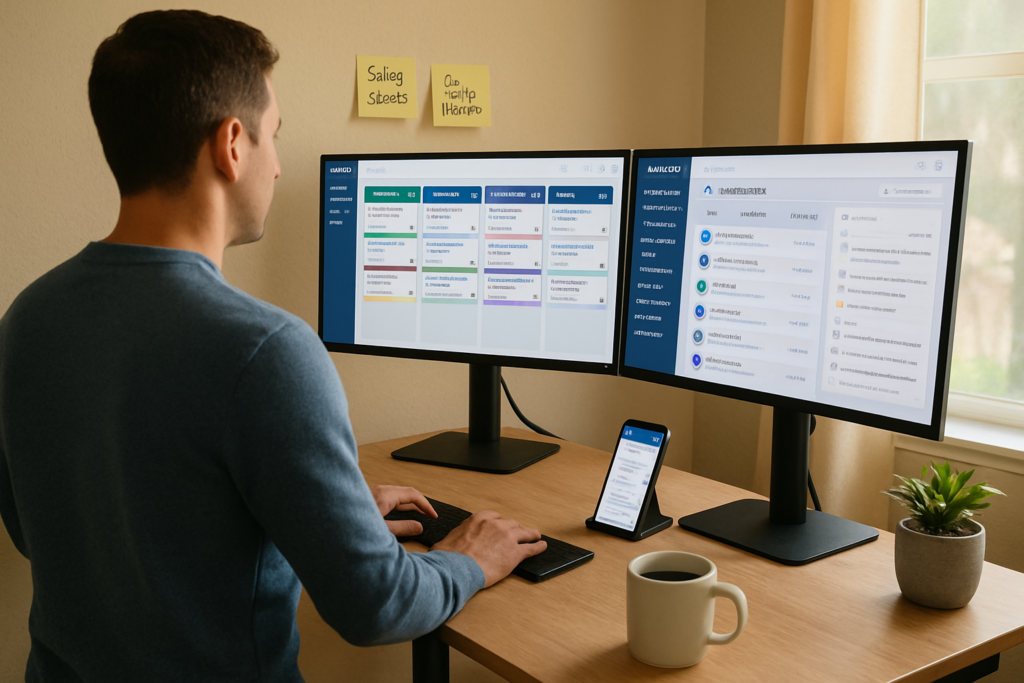
Here’s how I recommend approaching this decision:
Step 1: Define Your Primary Need 🎯
Ask yourself: “What’s the ONE thing that will make my business more effective?”
- If it’s visualizing and moving deals through your pipeline: Pipedrive
- If it’s integrating marketing and sales with automation: HubSpot
- If it’s getting maximum features on a limited budget: Zoho
Step 2: Assess Your Technical Comfort Level
Be honest about your relationship with technology:
- “I want something that just works”: Pipedrive
- “I’m willing to invest time learning for long-term benefits”: HubSpot
- “I’m comfortable with technology but need value”: Zoho
Step 3: Consider Your 12-Month Growth Plan
Where will your business be in a year?
- Staying solo or small team (1-3 people): Pipedrive or Zoho
- Planning to scale to 5+ team members: HubSpot or Zoho
- Need to integrate marketing automation: HubSpot
Step 4: Calculate True Cost
Don’t just look at the base subscription. Consider:
- Time to implement (your time has value)
- Integration costs (do you need Zapier? Other tools?)
- Training requirements (will you need courses or consultants?)
- Upgrade path (what happens when you need more features?)
Step 5: Take Advantage of Free Trials
All three platforms offer free trials or free tiers:
- HubSpot: Free forever for basic features
- Pipedrive: 14-day free trial
- Zoho: 15-day free trial
Spend a week actually using each one with real data. The winner will become obvious once you’re in the trenches.
Common Mistakes to Avoid When Choosing a CRM ⚠️
I’ve seen (and made) plenty of mistakes in CRM selection. Here’s what to avoid:
Mistake #1: Choosing Based on Features You Don’t Need
That fancy AI lead scoring sounds amazing, but if you only get 10 leads per month, you don’t need AI to prioritize them. Choose based on your actual workflow, not impressive feature lists.
Mistake #2: Ignoring Implementation Time
A powerful CRM that sits unused because you haven’t finished setting it up is worthless. Factor in setup time realistically.
Mistake #3: Not Testing with Real Data
Playing around with sample contacts in a trial isn’t enough. Import your actual contacts, create real deals, and use it for a week like you would in production.
Mistake #4: Forgetting About Mobile
If you’re ever away from your desk (and who isn’t?), test the mobile app thoroughly. A clunky mobile experience will frustrate you daily.
Mistake #5: Overlooking Integration Needs
List every tool you currently use—email, calendar, accounting, project management, marketing—and verify your chosen CRM integrates well with all of them.
Tips for Successful CRM Implementation 🎉
Once you’ve chosen your CRM from this CRM Showdown: HubSpot vs Pipedrive vs Zoho for Solopreneurs & Small Businesses, here’s how to ensure success:
Week 1: Foundation
- Import your contacts (clean them up first!)
- Set up your pipeline stages based on your actual sales process
- Configure basic email integration
- Create your first few deals
Week 2: Automation
- Set up automated task creation for new deals
- Configure email templates for common communications
- Create reminders for follow-ups
- Build your first simple workflow
Week 3: Optimization
- Review what’s working and what’s not
- Adjust pipeline stages if needed
- Add custom fields for important data
- Train any team members
Ongoing: Make It a Habit
The best CRM is the one you actually use. Build these habits:
- Update deals immediately after calls or meetings
- Check your CRM first thing each morning for today’s tasks
- Log all communications (emails, calls, meetings)
- Review your pipeline weekly to spot stuck deals
YouTube Resources to Dive Deeper 📺
While I can’t link specific videos here, I highly recommend searching YouTube for:
- “HubSpot CRM tutorial for beginners” – The official HubSpot Academy has excellent free training
- “Pipedrive demo and review” – Look for videos from actual users showing real workflows
- “Zoho CRM setup guide” – Zoho’s official channel has comprehensive tutorials
- “CRM comparison [current year]” – Find recent comparisons with updated pricing and features
Many creators offer side-by-side comparisons that let you see the interfaces in action, which is incredibly helpful for visual learners.
Conclusion: Your Next Steps in the CRM Journey
So, who wins this CRM Showdown: HubSpot vs Pipedrive vs Zoho for Solopreneurs & Small Businesses?
The truth is, there’s no universal winner—only the right choice for YOUR specific situation.
Choose Pipedrive if you’re a solopreneur or small sales team that needs dead-simple pipeline management, wants to be productive immediately, and doesn’t need extensive marketing features. It’s the fastest path from chaos to organized sales process.
Choose HubSpot if you’re planning to scale, need integrated marketing and sales tools, and are willing to invest time in setup for powerful long-term automation. The free tier makes it risk-free to start, and you can grow into paid features as your business expands.
Choose Zoho if you need maximum features for minimum budget, want enterprise-level capabilities without enterprise pricing, or are building a comprehensive tech stack within the Zoho ecosystem. It’s the value champion that doesn’t sacrifice functionality.
Your Action Plan for This Week 🎯
- Today: Write down your top 3 CRM needs and your 12-month business growth plan
- Tomorrow: Sign up for free trials/tiers of your top 2 choices
- This Week: Import 50 real contacts and create 10 actual deals in each CRM
- Next Week: Make your decision and commit to 30 days of consistent use
Remember, the perfect CRM is the one you’ll actually use every day. Don’t let analysis paralysis keep you stuck in spreadsheet hell. Pick one, commit to it for at least 90 days, and focus on building the habit of using it consistently.
I’ve been where you are—overwhelmed by options, worried about making the wrong choice, and frustrated with my current disorganized system. Three years later, I can tell you that choosing ANY of these three CRMs and using it consistently beats having no system at all.
The deals you’ll close, the follow-ups you won’t miss, and the time you’ll save are worth far more than the monthly subscription cost. Your future self will thank you for making this decision today.
Now stop reading and start your free trial. Your organized, efficient, deal-closing future is waiting! 🚀
References
[1] Comparative analysis of Pipedrive and HubSpot CRM features and capabilities for small businesses
[2] HubSpot CRM pricing structure and free tier offerings for solopreneurs
[3] User experience research on CRM implementation timelines for small businesses
[4] Zoho CRM feature documentation and pipeline management capabilities
[5] Zoho Zia AI assistant functionality and availability across pricing tiers
[6] Integration marketplace data for HubSpot, Pipedrive, and Zoho CRM platforms
[7] Mobile CRM application reviews and field sales functionality analysis
[8] Value proposition analysis comparing Zoho CRM to enterprise platforms like Salesforce