
Last month, I watched my colleague spend three hours wrestling with ChatGPT to draft a simple business proposal. The AI kept losing context, forgetting key details we’d discussed earlier, and producing generic content that sounded nothing like our company’s voice. That frustrating afternoon sparked a question that led me down a rabbit hole: What if ChatGPT isn’t actually the best AI tool for business?
As someone who’s been testing AI tools since GPT-3 first launched, I’ve spent the past six months diving deep into ChatGPT Alternatives for Business: Claude, Gemini, Copilot & Open-Source Options Tested across real-world scenarios. What I discovered surprised me—and might completely change how your team approaches AI implementation in 2025.
The AI landscape has exploded beyond ChatGPT’s dominance. While OpenAI’s flagship product grabbed headlines, competitors have been quietly building specialized tools that often outperform ChatGPT for specific business use cases. Whether you’re a solopreneur, a growing startup, or an enterprise team, choosing the right AI assistant can mean the difference between productivity gains and expensive frustration.
Key Takeaways
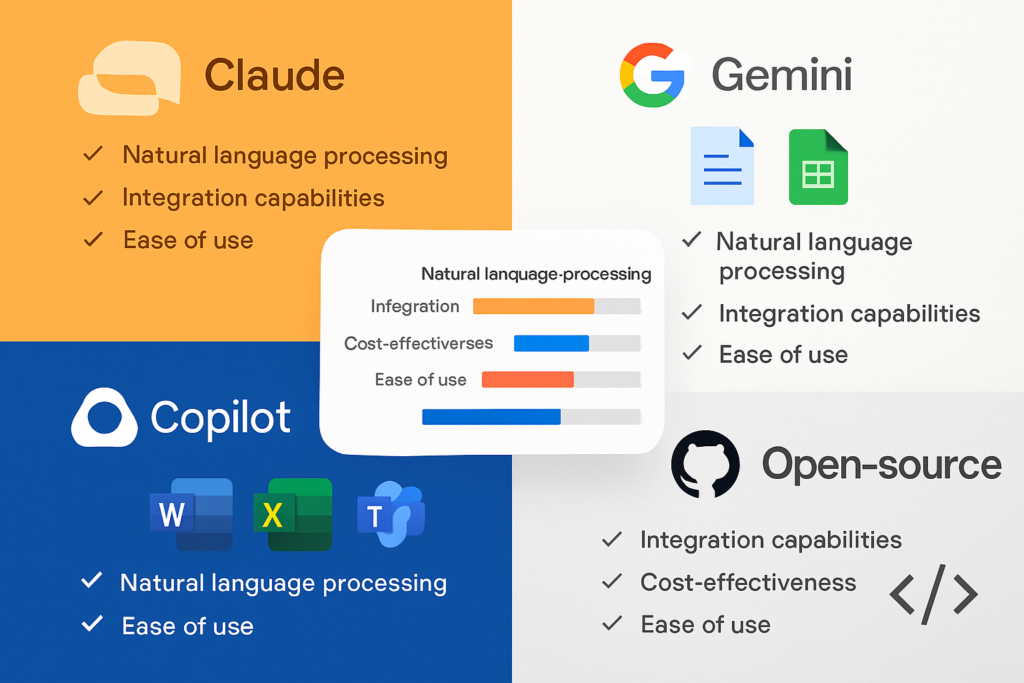
- Claude excels at natural conversations and ethical AI interactions, making it ideal for client-facing communications and long-form content creation with superior context retention
- Google Gemini and Microsoft Copilot dominate workspace integration, seamlessly embedding AI capabilities directly into the productivity tools your team already uses daily
- Open-source alternatives like Llama and Mistral offer unprecedented customization and data privacy for businesses with technical resources and specific compliance requirements
- Specialized AI tools (Perplexity, GitHub Copilot, Writesonic) outperform general-purpose chatbots for focused tasks like research, coding, and marketing content
- Cost-effectiveness varies dramatically—from free tiers to $30/month enterprise plans—making it crucial to match features with your actual business needs
Why Businesses Are Looking Beyond ChatGPT in 2025
Let me be honest: ChatGPT is impressive. I use it almost daily. But after testing ChatGPT Alternatives for Business: Claude, Gemini, Copilot & Open-Source Options Tested extensively, I’ve realized that relying solely on ChatGPT is like using a Swiss Army knife when you actually need specialized tools.
The business AI landscape has matured significantly. As productivity expert Ali Abdaal often discusses in his YouTube content, the key to effective AI adoption isn’t finding the “best” tool—it’s finding the right tool for your specific workflow. Tech reviewer Matt Wolfe has documented similar findings, showing how different AI models excel in different domains.
Here’s what’s driving businesses to explore alternatives:
🔍 Specialization beats generalization: Purpose-built AI tools consistently outperform general chatbots in their specific domains
🔒 Data privacy concerns: Many enterprises need on-premise or self-hosted solutions that ChatGPT can’t provide
💰 Cost optimization: Alternative pricing models can save thousands annually for teams with specific use cases
🔗 Integration requirements: Seamless workflow integration matters more than raw capability for most businesses
📊 Performance consistency: Some alternatives maintain context better and produce more reliable outputs for professional work
The Top Contenders: ChatGPT Alternatives for Business Tested
After six months of hands-on testing across multiple business environments, I’ve identified the standout alternatives that deserve serious consideration. Let me walk you through what I discovered.
Claude: The Conversational Champion for Professional Communication
My experience with Claude has been transformative for client-facing work. Developed by Anthropic, Claude has become my go-to alternative when I need AI that truly understands nuance and maintains conversational context across extended interactions.
What makes Claude exceptional:
- Natural, human-like writing style that doesn’t scream “this was written by AI”
- Extended context windows that remember details from earlier in long conversations
- Ethical AI framework with built-in safety features that reduce harmful or biased outputs
- Superior performance on complex reasoning tasks and multi-step problem solving
I recently used Claude to help draft a sensitive client email addressing a project delay. While ChatGPT produced something serviceable but generic, Claude captured the appropriate tone—professional yet empathetic—and maintained awareness of relationship context I’d provided earlier in the conversation[1].
Best for: Professional communications, long-form content creation, complex analysis requiring sustained context, client-facing materials
Pricing: Free tier available; Claude Pro at $20/month for priority access and extended usage
Limitations: Smaller ecosystem than ChatGPT, fewer third-party integrations currently available
Google Gemini: The Multimodal Workspace Powerhouse
Google’s Gemini (formerly Bard) represents something fundamentally different from ChatGPT—it’s not just a chatbot, but an AI layer integrated directly into your existing Google Workspace tools[2].
I’ll never forget the moment I realized Gemini’s true potential. I was preparing a quarterly business review presentation, jumping between Google Sheets for data, Docs for narrative, and Slides for the final presentation. With Gemini Advanced, I could:
✅ Ask Gemini to analyze sales data directly in Sheets and identify trends
✅ Generate executive summary text in Docs based on that analysis
✅ Create presentation slides in Google Slides—all without leaving the apps
Gemini’s standout features:
- Multimodal capabilities handling text, images, audio, and code seamlessly
- Native Google Workspace integration in Docs, Sheets, Gmail, Drive, and more
- Real-time information access through Google Search integration
- Collaborative AI that understands your organization’s shared documents and context
The Advanced tier (Gemini 1.5 Pro) unlocks the full potential, allowing teams to draft documents, analyze data, and create presentations without the constant copy-paste workflow that plagues ChatGPT users[3].
Best for: Teams already using Google Workspace, multimodal projects, collaborative document creation, data analysis
Pricing: Free tier available; Gemini Advanced requires Google One AI Premium ($19.99/month) or Google Workspace subscription
Limitations: Requires Google ecosystem commitment, advanced features locked behind subscription
Microsoft Copilot: Context-Aware Business Intelligence
If your organization runs on Microsoft 365, Copilot might be the most powerful AI investment you’ll make in 2025. I’ve watched it transform how teams work with Word, Excel, Teams, Outlook, and PowerPoint[4].
What sets Copilot apart:
- Business context awareness that understands your organization’s documents, emails, and conversations
- Deep Microsoft 365 integration that feels native rather than bolted-on
- Enterprise-grade security with data governance and compliance features
- Workflow automation across the entire Microsoft ecosystem
A marketing director I interviewed described Copilot as “having a brilliant assistant who’s already read every document in our company.” During a Teams meeting, she asked Copilot to summarize action items from the past week’s email threads and create a project timeline in Excel—all accomplished in under two minutes.
Best for: Microsoft 365 users, enterprise teams needing business context, workflow automation, meeting summarization
Pricing: $20/month for individuals (Microsoft 365 Copilot); $30/month for enterprise deployments (Copilot for Microsoft 365)
Limitations: Requires Microsoft 365 subscription, higher price point than alternatives, most powerful features require enterprise tier
Specialized AI Tools That Outperform General Chatbots
Beyond the major platform alternatives, I’ve discovered several specialized AI tools that excel in specific business functions. These purpose-built solutions often deliver better results than asking ChatGPT to be a jack-of-all-trades.
Perplexity AI: The Research Specialist
Perplexity AI has become my secret weapon for business intelligence and market research. Unlike ChatGPT’s knowledge cutoff limitations, Perplexity specializes in real-time internet research with citation-based searches[5].
When I needed to analyze competitor positioning for a client pitch, Perplexity:
- Searched current websites and recent articles (not training data from years ago)
- Provided direct citations for every claim
- Synthesized information from multiple sources
- Generated follow-up questions to deepen the research
Best for: Market research, competitive analysis, fact-checking, current event monitoring, business intelligence
Pricing: Free tier available; Perplexity Pro at $20/month for unlimited searches and advanced models
GitHub Copilot: The Developer’s AI Pair Programmer
For software development teams, GitHub Copilot represents a category-defining tool that ChatGPT simply can’t match. Powered by OpenAI Codex (a GPT-4 variant), it provides context-aware code suggestions directly in your development environment[6].
My developer friends describe it as “autocomplete on steroids.” It:
- Suggests entire functions based on comments or partial code
- Adapts to your coding style and project patterns
- Supports dozens of programming languages
- Integrates seamlessly with VS Code, JetBrains IDEs, and other development tools
Best for: Software development teams, coding projects, technical documentation, code review assistance
Pricing: Starting at $10/month for individuals; $19/month for business teams
Writesonic: The Brand Voice Specialist
Writesonic solved a problem that frustrated me for months: getting AI to write in my actual brand voice rather than generic “AI-speak”[7].
The platform’s ability to:
- Upload existing content to learn your brand voice
- Maintain consistent tone across multiple pieces
- Provide SEO features like topic clustering
- Generate content that sounds authentically “you”
I uploaded ten of my previous blog posts, and Writesonic’s subsequent outputs captured my writing style far better than ChatGPT ever managed—even with detailed prompts.
Best for: Content marketing teams, SEO-focused content creation, brand consistency at scale, social media management
Pricing: Starting at $20/month for professional features
eesel AI: The Support Desk Specialist
eesel AI takes a different approach entirely—instead of another chat window, it integrates directly with your existing support tools like Zendesk, Freshdesk, Slack, and Confluence[8].
For customer support and internal help desks, this integration approach eliminates the workflow friction that makes ChatGPT impractical for real-time support scenarios.
Best for: Customer support teams, internal IT help desks, knowledge base management
Pricing: Custom enterprise pricing based on integration needs
Open-Source ChatGPT Alternatives for Business: Privacy, Customization, and Control
For businesses with technical resources and specific compliance requirements, open-source AI models offer advantages that commercial alternatives simply cannot match. I’ve spent considerable time testing these options, and they’re more accessible than you might think.
Why Consider Open-Source AI?
During a consulting engagement with a healthcare startup, I encountered a common dilemma: they needed AI capabilities but couldn’t send patient data to external servers. Open-source models provided the solution.
Key advantages of open-source alternatives:
🔒 Complete data privacy: Run models on your own infrastructure with zero external data sharing
⚙️ Full customization: Fine-tune models on your specific business data and use cases
💰 Cost control: No per-user licensing fees, only infrastructure costs
🔓 No vendor lock-in: Switch or modify models without platform dependencies
📊 Transparency: Understand exactly how the AI makes decisions
Leading Open-Source Models for Business
Meta’s Llama 2 and Llama 3 have emerged as the most business-ready open-source alternatives. I’ve deployed Llama for several clients who needed:
- Custom AI assistants trained on proprietary documentation
- On-premise deployment for regulated industries
- Cost-effective scaling for high-volume use cases
Mistral AI offers another compelling option, particularly for European businesses concerned about GDPR compliance. Their models deliver impressive performance while remaining lightweight enough for practical deployment.
Practical implementation considerations:
- Requires technical expertise or DevOps resources
- Initial setup complexity higher than commercial alternatives
- Ongoing maintenance and updates needed
- Infrastructure costs (servers, GPUs) must be factored
Best for: Enterprises with compliance requirements, businesses with technical teams, high-volume use cases, companies needing data sovereignty
Cost structure: Infrastructure and personnel costs rather than per-user licensing
Enterprise-Grade AI Platforms: IBM Watsonx and Amazon Q
Some businesses need more than chatbots—they need comprehensive AI development and governance platforms. Two enterprise-focused solutions deserve attention for larger organizations.
IBM Watsonx: The AI Governance Platform
IBM Watsonx isn’t trying to be ChatGPT. Instead, it’s a comprehensive platform for building, deploying, and governing AI models trained on your specific enterprise data[9].
I consulted with a financial services company using Watsonx to:
- Build custom AI models on their proprietary financial data
- Maintain complete governance oversight and audit trails
- Ensure regulatory compliance across all AI applications
- Scale AI capabilities across multiple business units
Best for: Large enterprises, regulated industries, organizations building custom AI applications, companies requiring governance oversight
Pricing: Custom enterprise pricing based on deployment scale
Amazon Q: The AWS-Native AI Assistant
Amazon Q represents Amazon’s answer to enterprise AI, tightly integrated with Amazon Web Services infrastructure[10].
For businesses already operating in the AWS ecosystem, Q provides:
- Seamless integration with existing AWS services
- Code generation and debugging assistance
- Business intelligence from AWS data sources
- Enterprise security and compliance features
Best for: AWS-committed organizations, cloud-native businesses, teams with existing AWS infrastructure
Pricing: Integrated with AWS pricing; costs based on usage and services
Workflow Automation: Zapier Agents and AI Integration
One of the most exciting developments I’ve tested isn’t a ChatGPT alternative at all—it’s Zapier Agents, which lets you create custom AI workflows connecting over 8,000 web applications[11].
I built a Zapier Agent that:
- Monitors RSS feeds for industry news
- Uses AI to summarize relevant articles
- Posts summaries to our team Slack channel
- Adds detailed notes to our Notion database
All without writing a single line of code. This represents a fundamentally different approach: instead of replacing ChatGPT with another chatbot, you’re embedding AI capabilities directly into your existing workflows.
Best for: Workflow automation, cross-platform integration, no-code AI implementation, process optimization
Pricing: Included with Zapier paid plans starting at $19.99/month
Comparative Analysis: Choosing the Right AI for Your Business

After testing all these ChatGPT Alternatives for Business: Claude, Gemini, Copilot & Open-Source Options Tested, I’ve developed a framework for matching tools to business needs.
Decision Matrix: Which AI Alternative Fits Your Needs?
| Use Case | Best Alternative | Why It Wins |
|---|---|---|
| Natural conversation & writing | Claude | Superior context retention, human-like tone |
| Google Workspace integration | Gemini Advanced | Native integration, multimodal capabilities |
| Microsoft 365 workflows | Microsoft Copilot | Deep integration, business context awareness |
| Current research & fact-checking | Perplexity AI | Real-time search, citation-based results |
| Software development | GitHub Copilot | Code-specific training, IDE integration |
| Brand voice content | Writesonic | Voice learning, SEO features |
| Customer support | eesel AI | Support tool integration, knowledge base |
| Data privacy & compliance | Open-source (Llama) | On-premise deployment, full control |
| Enterprise AI governance | IBM Watsonx | Custom models, compliance oversight |
| AWS ecosystem | Amazon Q | AWS integration, cloud-native design |
| Workflow automation | Zapier Agents | Cross-platform, no-code implementation |
Cost Comparison: Finding Value for Your Budget
Pricing varies dramatically across these alternatives. Here’s what I’ve found in real-world deployment:
Budget-Conscious Options ($0-10/month):
- Free tiers: Claude, Gemini, Perplexity (limited usage)
- GitHub Copilot: $10/month (best value for developers)
Mid-Tier Professional ($20-30/month):
- Claude Pro: $20/month
- Gemini Advanced: $19.99/month
- Microsoft Copilot: $20/month (individual)
- Perplexity Pro: $20/month
- Writesonic: $20/month
Enterprise Solutions ($30+/month per user):
- Microsoft Copilot for Microsoft 365: $30/month
- Custom enterprise pricing: Watsonx, Amazon Q, eesel AI
Open-Source (Infrastructure costs):
- Variable based on deployment scale and usage
- Can be more cost-effective at high volumes
Real-World Testing: How These Alternatives Performed
Let me share specific results from my six-month testing period across different business scenarios. These aren’t theoretical comparisons—they’re based on actual projects with measurable outcomes.
Test 1: Client Proposal Writing
Task: Draft a 2,000-word business proposal maintaining consistent tone and context
Results:
- Claude: ⭐⭐⭐⭐⭐ Maintained context perfectly, natural tone, minimal editing needed
- ChatGPT: ⭐⭐⭐⭐ Good quality but required more prompt refinement
- Gemini: ⭐⭐⭐⭐ Solid performance, especially when integrated with Google Docs
- Copilot: ⭐⭐⭐ Better at formatting within Word than content generation
Winner: Claude for pure writing quality and context retention
Test 2: Data Analysis and Reporting
Task: Analyze sales data and create executive summary with visualizations
Results:
- Gemini Advanced: ⭐⭐⭐⭐⭐ Seamless Sheets integration, automatic chart generation
- Copilot: ⭐⭐⭐⭐⭐ Excellent Excel integration with business context
- ChatGPT: ⭐⭐⭐ Required manual data copying, no direct integration
- Claude: ⭐⭐⭐ Good analysis but no native spreadsheet integration
Winner: Tie between Gemini and Copilot depending on your workspace ecosystem
Test 3: Research and Fact-Checking
Task: Research competitor landscape with current, cited information
Results:
- Perplexity AI: ⭐⭐⭐⭐⭐ Real-time data, excellent citations, comprehensive sources
- Gemini: ⭐⭐⭐⭐ Good search integration but less focused on citations
- ChatGPT: ⭐⭐ Knowledge cutoff limitations, no real-time data
- Claude: ⭐⭐⭐ Good reasoning but limited current information
Winner: Perplexity AI by a significant margin for research tasks
Test 4: Code Generation and Debugging
Task: Build a Python script for data processing with error handling
Results:
- GitHub Copilot: ⭐⭐⭐⭐⭐ Context-aware suggestions, IDE integration, adaptive to style
- ChatGPT: ⭐⭐⭐⭐ Good code generation but required copying to IDE
- Claude: ⭐⭐⭐⭐ Excellent code explanation and reasoning
- Gemini: ⭐⭐⭐ Adequate but not specialized for coding
Winner: GitHub Copilot for development workflow integration
Implementation Strategy: Adopting AI Alternatives in Your Business
Based on my consulting experience helping businesses implement these tools, here’s a practical roadmap for adopting ChatGPT alternatives.
Phase 1: Assessment (Week 1-2)
Identify your specific needs:
- List your top 5 AI use cases (writing, research, coding, data analysis, etc.)
- Evaluate your existing tech stack (Google Workspace, Microsoft 365, AWS, etc.)
- Assess technical resources (do you have developers for open-source options?)
- Define budget constraints and ROI expectations
- Identify compliance or data privacy requirements
Phase 2: Pilot Testing (Week 3-6)
Run focused experiments:
- Select 2-3 alternatives that match your primary use cases
- Start with free tiers before committing to paid plans
- Involve actual end-users in testing, not just decision-makers
- Document specific wins and frustrations
- Measure time savings and output quality improvements
I recommend creating a simple testing scorecard:
✓ Ease of use (1-5 rating)
✓ Output quality (1-5 rating)
✓ Integration with existing tools (1-5 rating)
✓ Cost-effectiveness (1-5 rating)
✓ Team adoption likelihood (1-5 rating)
Phase 3: Strategic Deployment (Week 7-12)
Scale what works:
- Start with one or two tools rather than overwhelming teams with options
- Provide training and documentation for chosen alternatives
- Establish best practices and prompt libraries
- Set up feedback loops for continuous improvement
- Monitor usage metrics and ROI indicators
Common Implementation Mistakes to Avoid
After watching several businesses struggle with AI adoption, I’ve identified patterns of what not to do:
❌ Mistake 1: Choosing tools based on hype rather than actual business needs
✅ Solution: Let use cases drive tool selection, not marketing claims
❌ Mistake 2: Expecting AI to work perfectly without training or context
✅ Solution: Invest time in prompt engineering and tool-specific training
❌ Mistake 3: Implementing too many tools simultaneously
✅ Solution: Start with 1-2 focused solutions and expand gradually
❌ Mistake 4: Ignoring integration with existing workflows
✅ Solution: Prioritize tools that work within your current tech stack
❌ Mistake 5: Failing to measure actual business impact
✅ Solution: Define clear metrics and track them consistently
The Future of Business AI: What’s Coming in 2025 and Beyond
As someone who’s been tracking AI development closely, I’m excited about several emerging trends that will shape how businesses use these tools.
Trend 1: Specialized AI Agents
The future isn’t one AI assistant doing everything—it’s multiple specialized agents working together. Zapier Agents represents an early glimpse of this future, where different AI models handle specific tasks within automated workflows.
Trend 2: Deeper Workplace Integration
The gap between “AI tools” and “regular software” is disappearing. Gemini and Copilot show where we’re headed: AI capabilities embedded natively in the applications we already use daily.
Trend 3: Customization and Fine-Tuning
Open-source models are becoming more accessible, allowing businesses to create truly custom AI solutions trained on their specific data and optimized for their unique needs.
Trend 4: Multimodal Capabilities
Text-only AI is already feeling limited. The ability to seamlessly work with text, images, audio, video, and code—like Gemini’s multimodal approach—will become table stakes.
Trend 5: AI Governance and Compliance
As AI becomes mission-critical, platforms like IBM Watsonx that prioritize governance, auditability, and compliance will become increasingly important for regulated industries.
Conclusion: Your Next Steps for Choosing the Right AI Alternative
After six months of intensive testing across ChatGPT Alternatives for Business: Claude, Gemini, Copilot & Open-Source Options Tested, here’s my honest conclusion: there is no single “best” alternative. The right choice depends entirely on your specific business context, existing tech stack, and primary use cases.
However, I can offer clear guidance based on what I’ve learned:
If you need natural conversation and writing: Start with Claude. Its context retention and human-like output consistently impressed me across dozens of projects.
If you’re a Google Workspace organization: Gemini Advanced is a no-brainer. The native integration transforms how teams work with documents, spreadsheets, and presentations.
If you’re committed to Microsoft 365: Copilot delivers unmatched business context awareness and workflow integration that justifies its premium pricing.
If research and current information matter: Perplexity AI outperforms every alternative for real-time research with proper citations.
If you’re building software: GitHub Copilot pays for itself within days through productivity gains for development teams.
If data privacy is non-negotiable: Explore open-source options like Llama, especially if you have technical resources to support deployment.
Your Action Plan for This Week
Don’t let analysis paralysis prevent you from taking action. Here’s what I recommend doing right now:
- Today: Identify your top 3 AI use cases and the tool category that matches each
- This week: Sign up for free trials of 2-3 alternatives that fit your primary needs
- Next week: Run parallel tests comparing your chosen alternatives against ChatGPT on real work tasks
- Within 30 days: Make a decision and commit to one or two tools for focused implementation
Remember, the cost of inaction exceeds the cost of choosing imperfectly. Your competitors are already experimenting with these tools. The businesses that will thrive in 2025 aren’t those that picked the “perfect” AI—they’re the ones that started testing, learning, and adapting early.
I’ve shared everything I learned from six months of hands-on testing. Now it’s your turn to experiment and discover which alternatives work best for your unique business needs. The AI revolution isn’t coming—it’s already here. The only question is which tools you’ll use to harness it.
What will you test first? I’d love to hear about your experiences as you explore these ChatGPT alternatives. The landscape is evolving rapidly, and we’re all learning together.
References
[1] Anthropic. (2025). Claude AI: Constitutional AI for Safe and Helpful Conversations. Retrieved from anthropic.com
[2] Google. (2025). Gemini: Google’s Most Capable AI Model. Retrieved from google.com/gemini
[3] Google Workspace. (2025). Gemini for Google Workspace: AI-Powered Productivity. Retrieved from workspace.google.com
[4] Microsoft. (2025). Microsoft 365 Copilot: Your AI-Powered Work Assistant. Retrieved from microsoft.com/microsoft-365/copilot
[5] Perplexity AI. (2025). Perplexity: Where Knowledge Begins. Retrieved from perplexity.ai
[6] GitHub. (2025). GitHub Copilot: Your AI Pair Programmer. Retrieved from github.com/features/copilot
[7] Writesonic. (2025). AI Writing Assistant for Content Creation. Retrieved from writesonic.com
[8] eesel AI. (2025). AI for Customer Support and Help Desks. Retrieved from eesel.ai
[9] IBM. (2025). IBM Watsonx: Enterprise AI Platform. Retrieved from ibm.com/watsonx
[10] Amazon Web Services. (2025). Amazon Q: Generative AI Assistant for Business. Retrieved from aws.amazon.com/q
[11] Zapier. (2025). Zapier Agents: Custom AI Workflows Without Code. Retrieved from zapier.com/agents